Zepid LMS is a powerful and flexible Learning Management System
designed for online education, training institutions, coaching centers, and
academies.
It provides a full suite of tools for students, instructors, and administrators
to manage courses, track progress, deliver content, and operate a complete
e-learning business.
Role‑based access: Super Admin, Admin, Executive, Developer
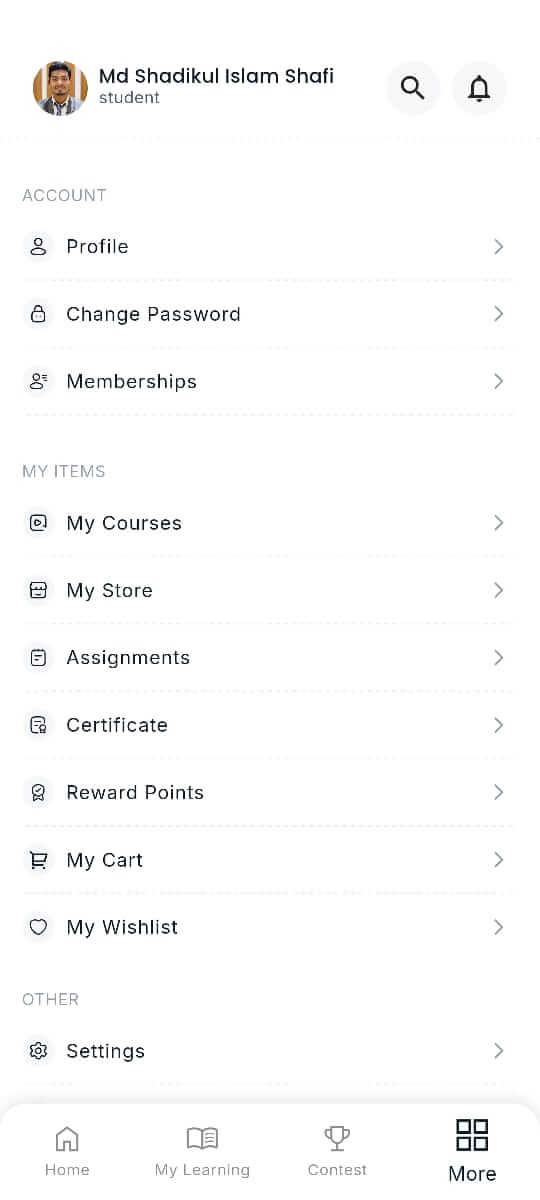
Android Mobile App
Flutter‑based synchronized mobile LMS app for Students and Instructors.
Frontend Website Overview
The Frontend Website represents your institution's digital identity. It serves
as the public
gateway for students, parents, corporate clients, and visitors to explore
courses, memberships,
success stories, and more. This interface is fully modern, mobile-optimized, and
built to
increase enrollment, trust, and brand value.
Main Website Areas
Courses Directory – Explore all online, offline & recorded
programs
Bundle Courses – Combined training packages for higher
value
Store – Purchase books, notes & digital learning assets
Blog – Articles to educate, engage & improve SEO ranking
Course Type Showcase
Online Courses
Offline / Classroom Courses
Recorded / Self-paced Courses
Category examples:
Digital Marketing
Web Development
AI & Machine Learning
Additional Learning Sections
Student Feedback & Reviews
Popular Courses
Upcoming Batches & Live Programs
Store Products
Latest Blog Posts
Success Stories
Trust & Conversion Elements
Payment Method Options
Partner & “Working With” Logos
Mobile App Promotion
Newsletter Subscription
Footer Links
Key navigation to build trust and compliance:
About Us
Contact
Blog
Instructors
Store
Memberships
Forum
Courses
Success Stories
Terms & Rules
Refund Policy
Privacy Policy
Brand Vision Message
“Discover excellence with Zepid LMS for Online Learning and Personalized
Education.”
Frontend UI Preview
Below is a visual example of the website homepage layout:
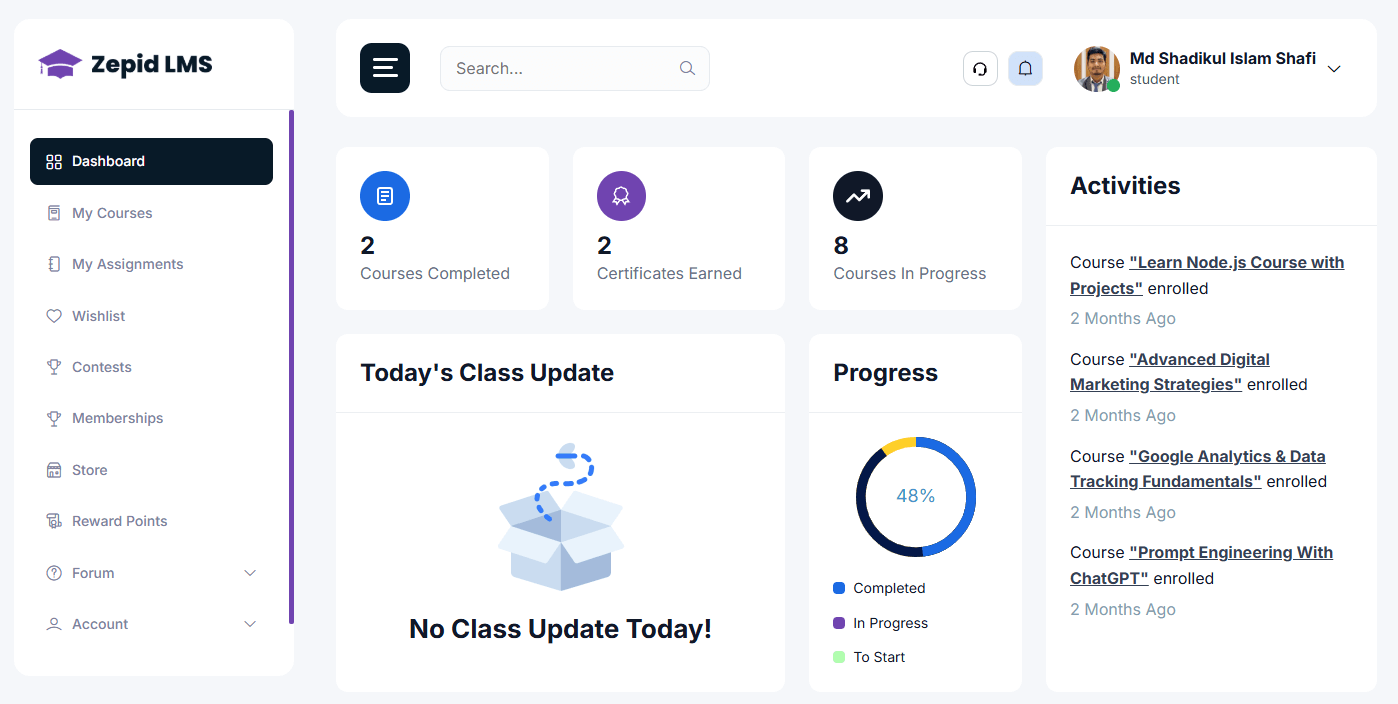
Dashboard
The main student landing page after login. Provides a single glance view of
your learning activity.
Use this to quickly resume learning and track deadlines.
Active Courses & Batches: Cards showing enrolled
courses and batch start dates.
Upcoming Classes: Quick join buttons for scheduled live
sessions.
Assignments & Deadlines: Short list of due items and
status badges.
Progress Summary: Completion bars and progress
percentage per course.
Notifications & Messages: System messages and
instructor replies.
How to use: Click a course card to jump into the course player.
Click a live class item to join the session.
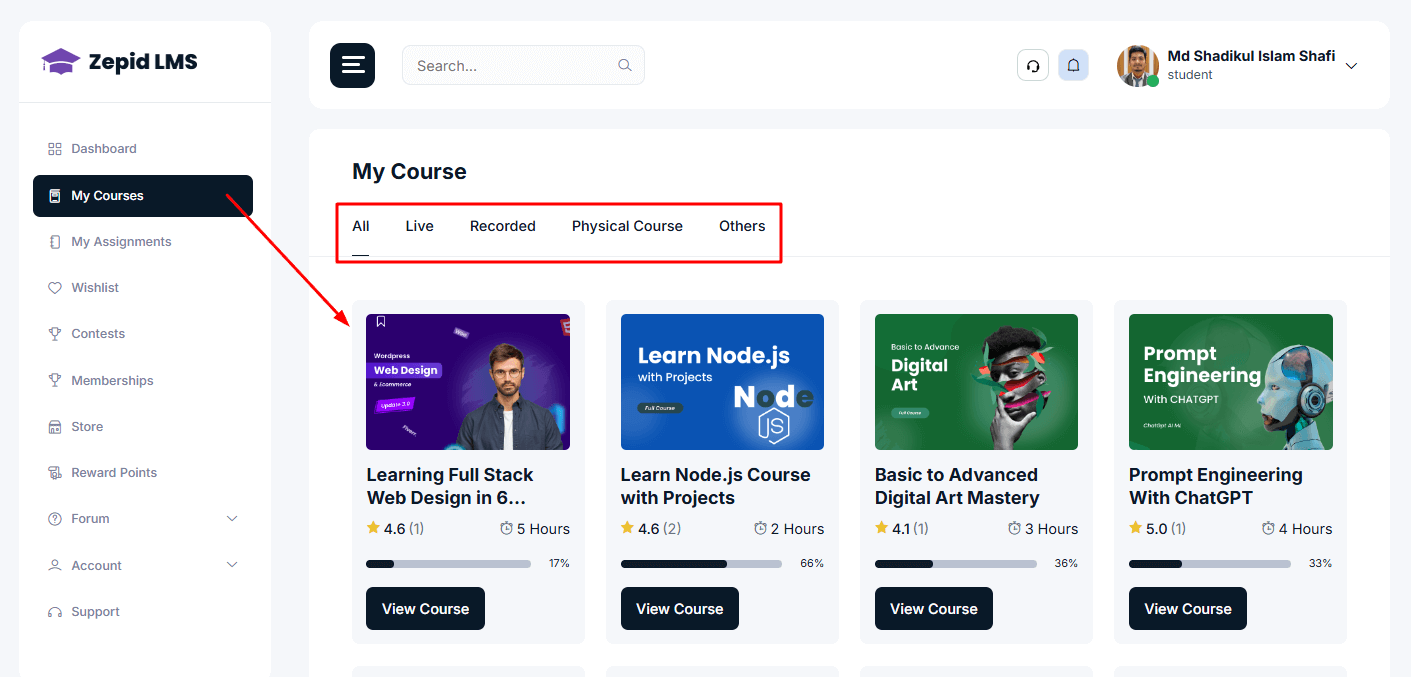
My Courses
Central area that lists all courses you are enrolled in. Each course opens
to a course player and module list.
Open My Courses from the left menu.
Click a course to view modules, lessons, instructor, and resources.
Use the Continue Learning button to resume last watched lesson.
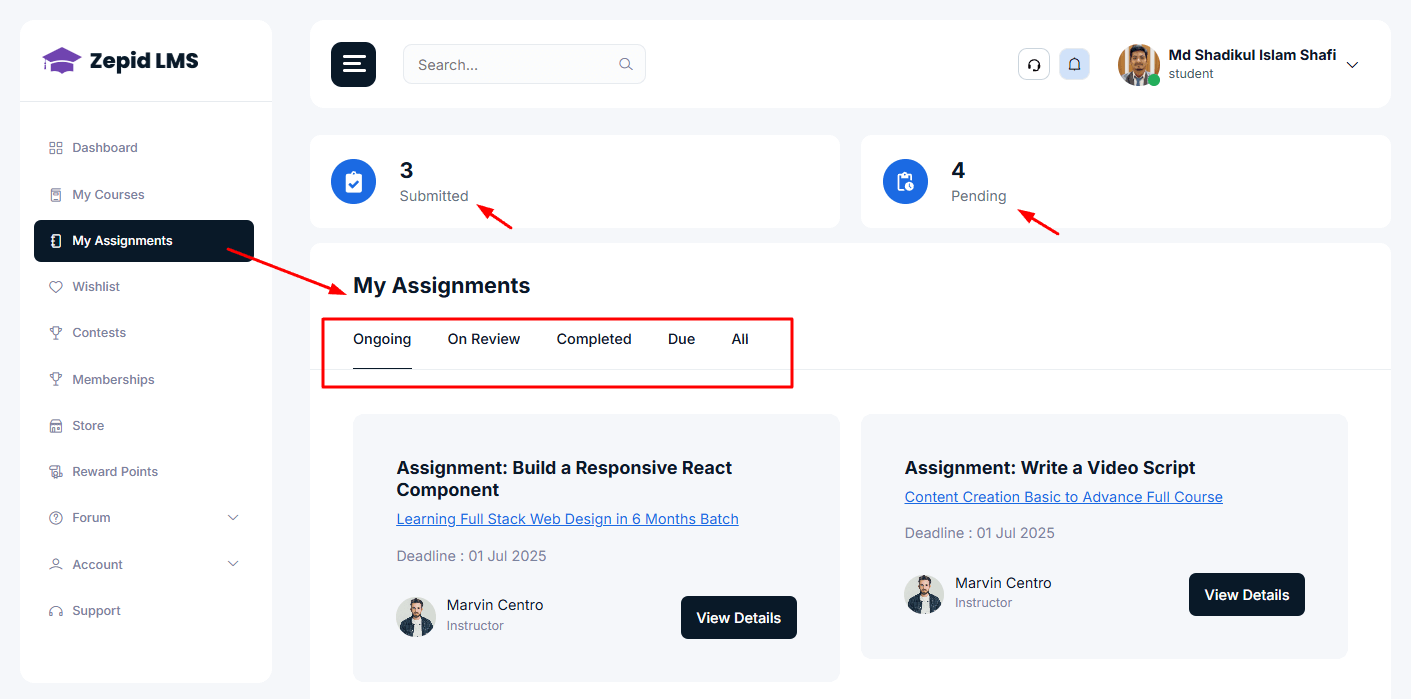
Resubmit: If allowed by instructor, upload a revised
submission before deadline.
Instructor Feedback: View comments and grade once
evaluated.
Quick Steps to Submit: Open assignment → Click Submit → Choose file
→ Add notes → Confirm upload.
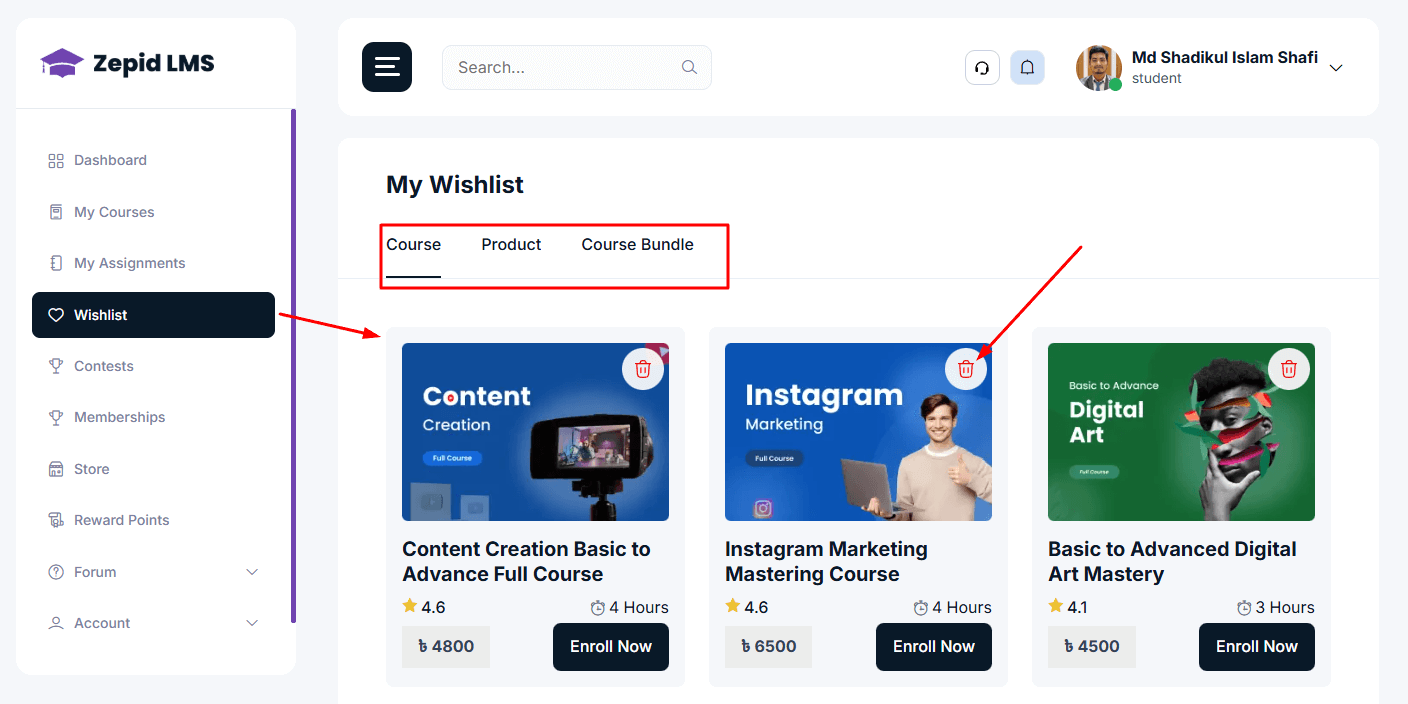
Wishlist
Save courses you like for future purchase/enrollment.
Add to wishlist from course list or course detail page.
Manage or remove items from the wishlist page.
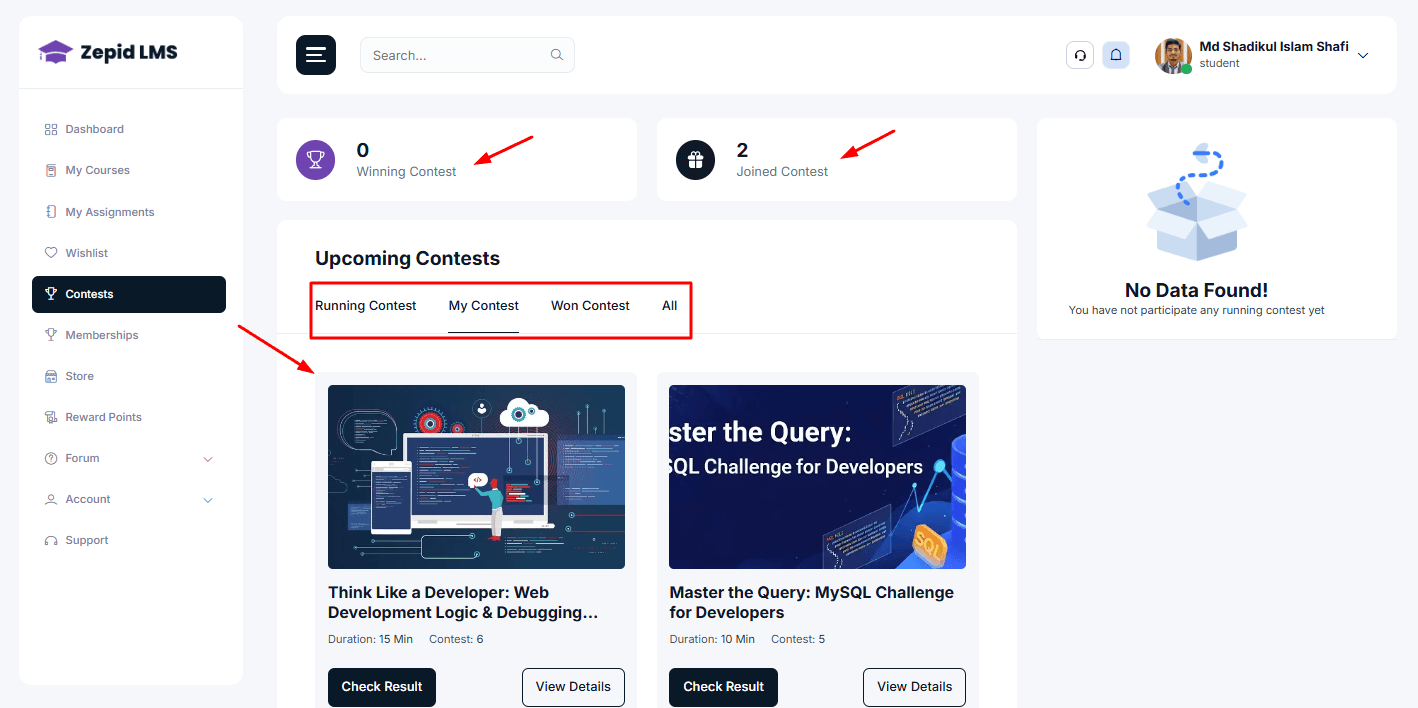
Contests
Participate in competitions and view leaderboards.
Join contests listed by admin or instructor.
Submit your entries and track leaderboard positions.
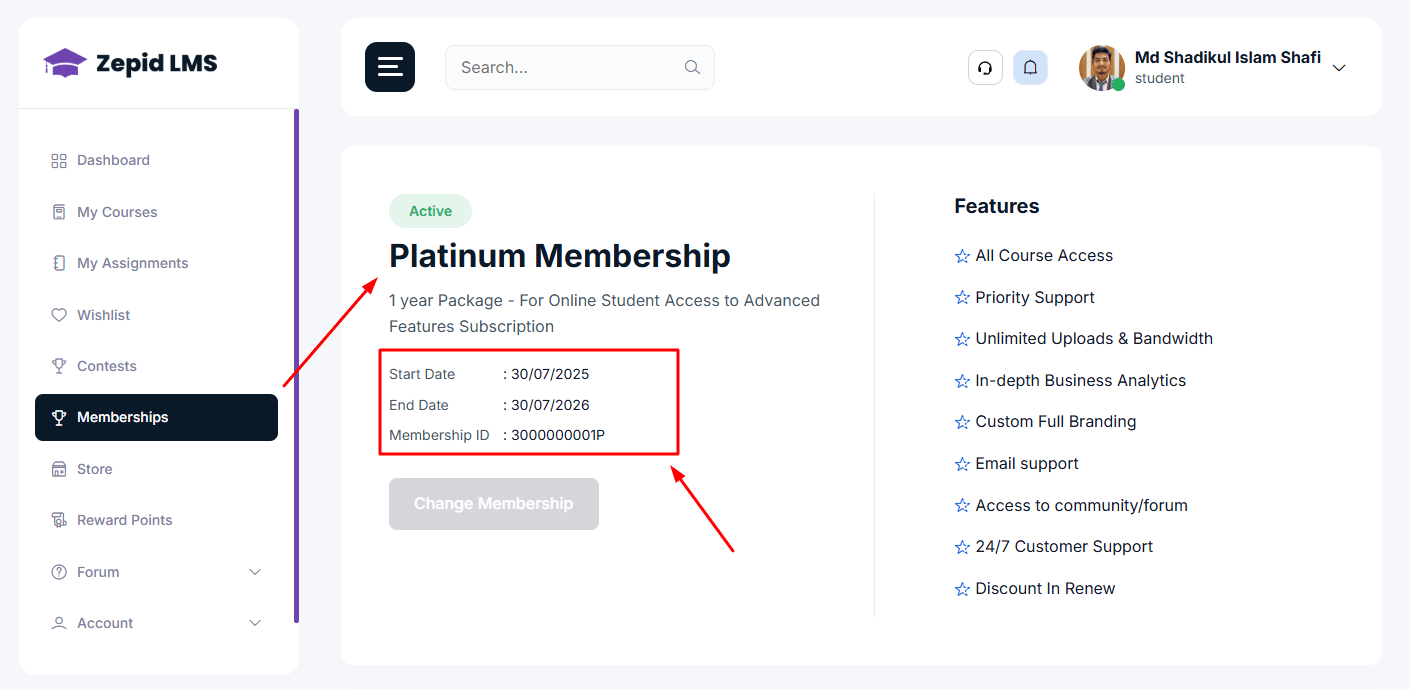
Memberships
Purchase subscription plans and manage renewals.
See available plans & benefits
Subscribe, renew, or upgrade plans
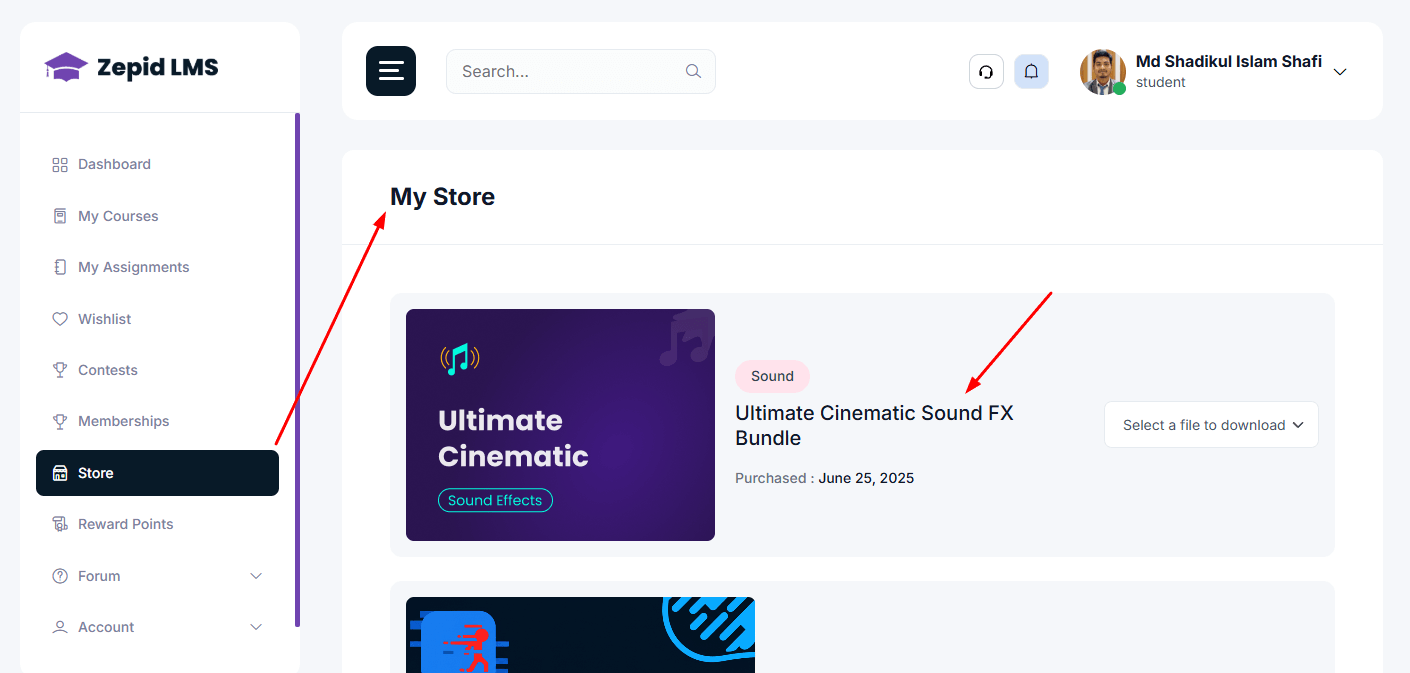
Store
Buy course packs, eBooks, templates, and other digital products.
Product pages with description, price, and download after payment
Order history & downloads center
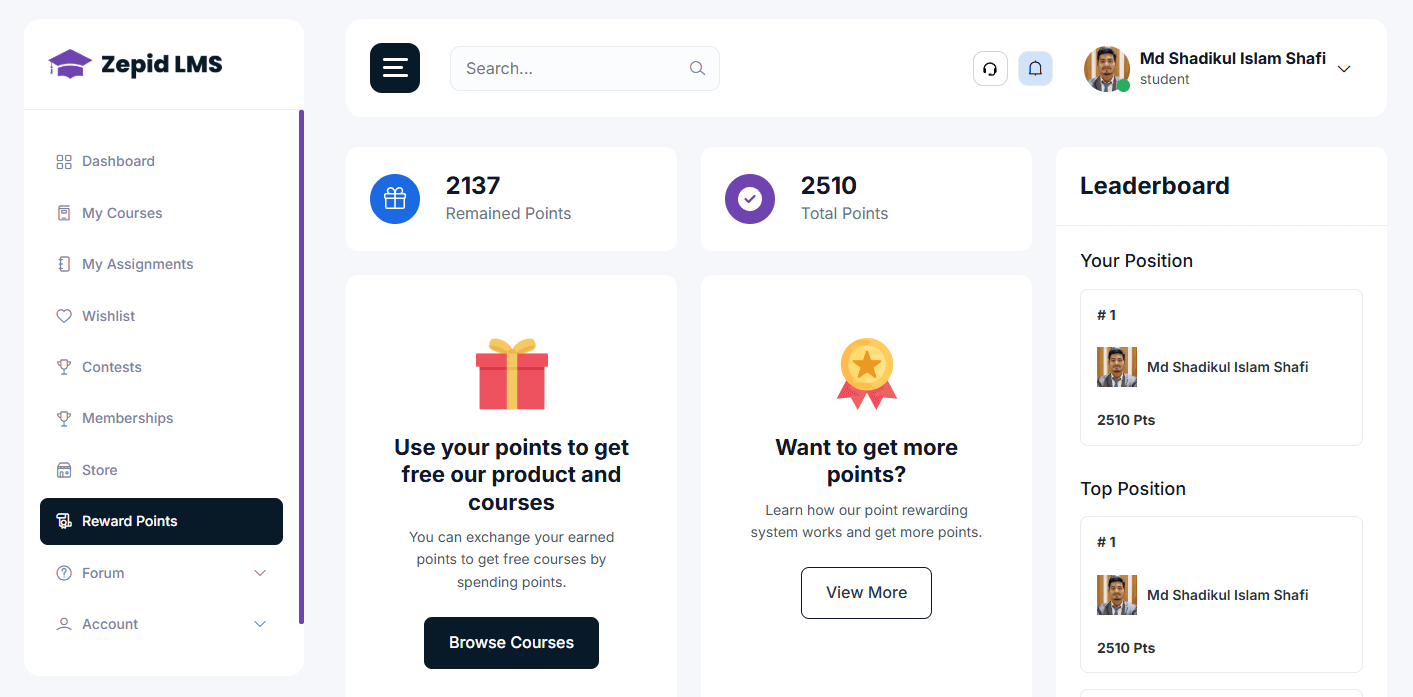
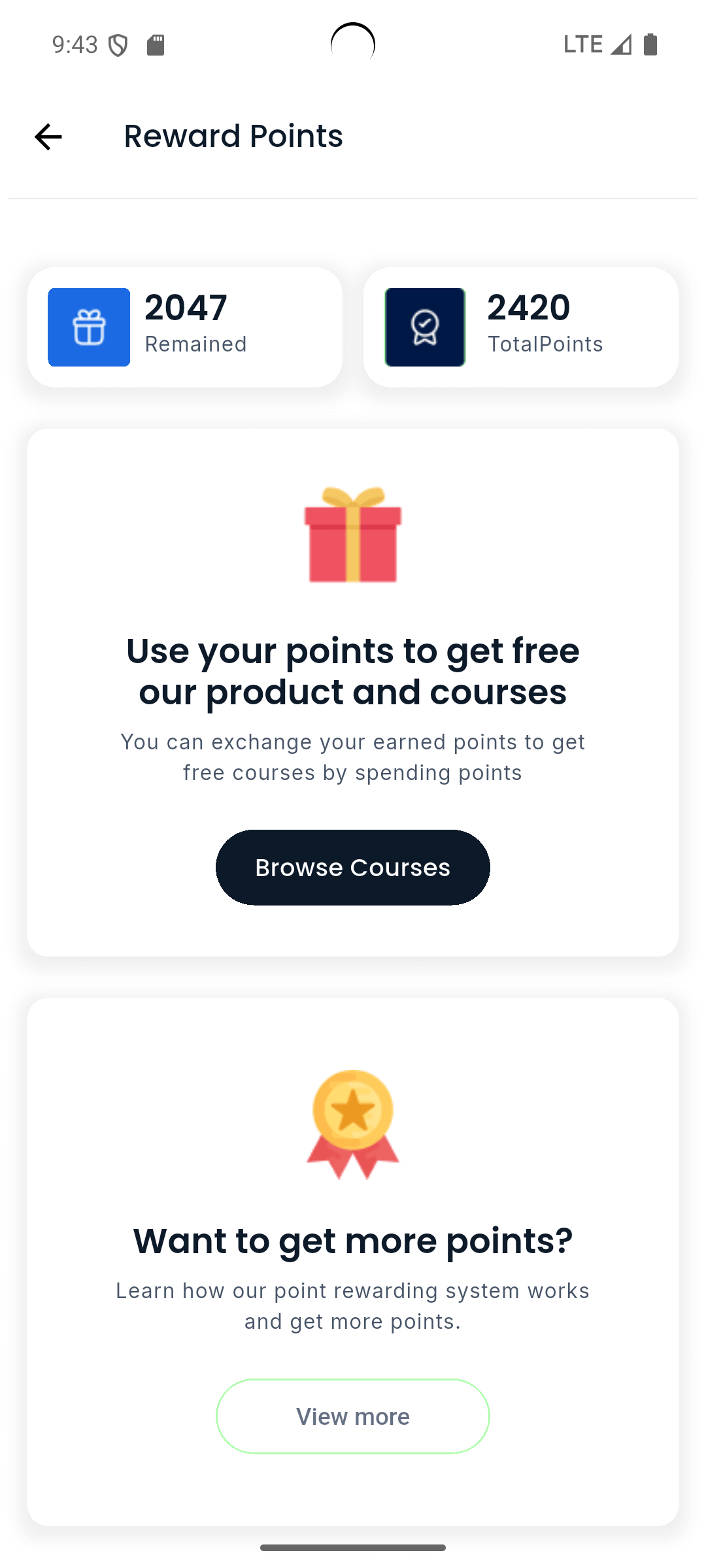
Reward Points
Earn points for engagement; redeem for discounts or store items.
View earned points and redemption history
Redeem points during checkout or exchange for vouchers
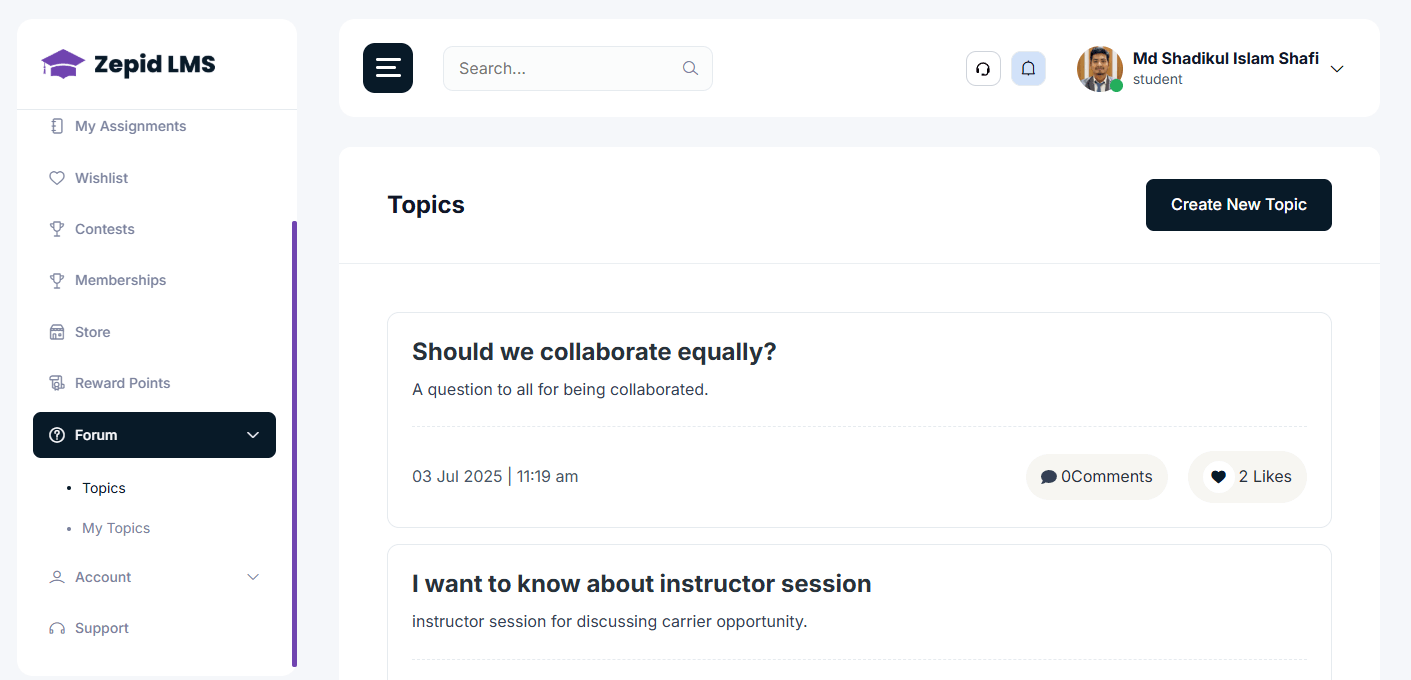
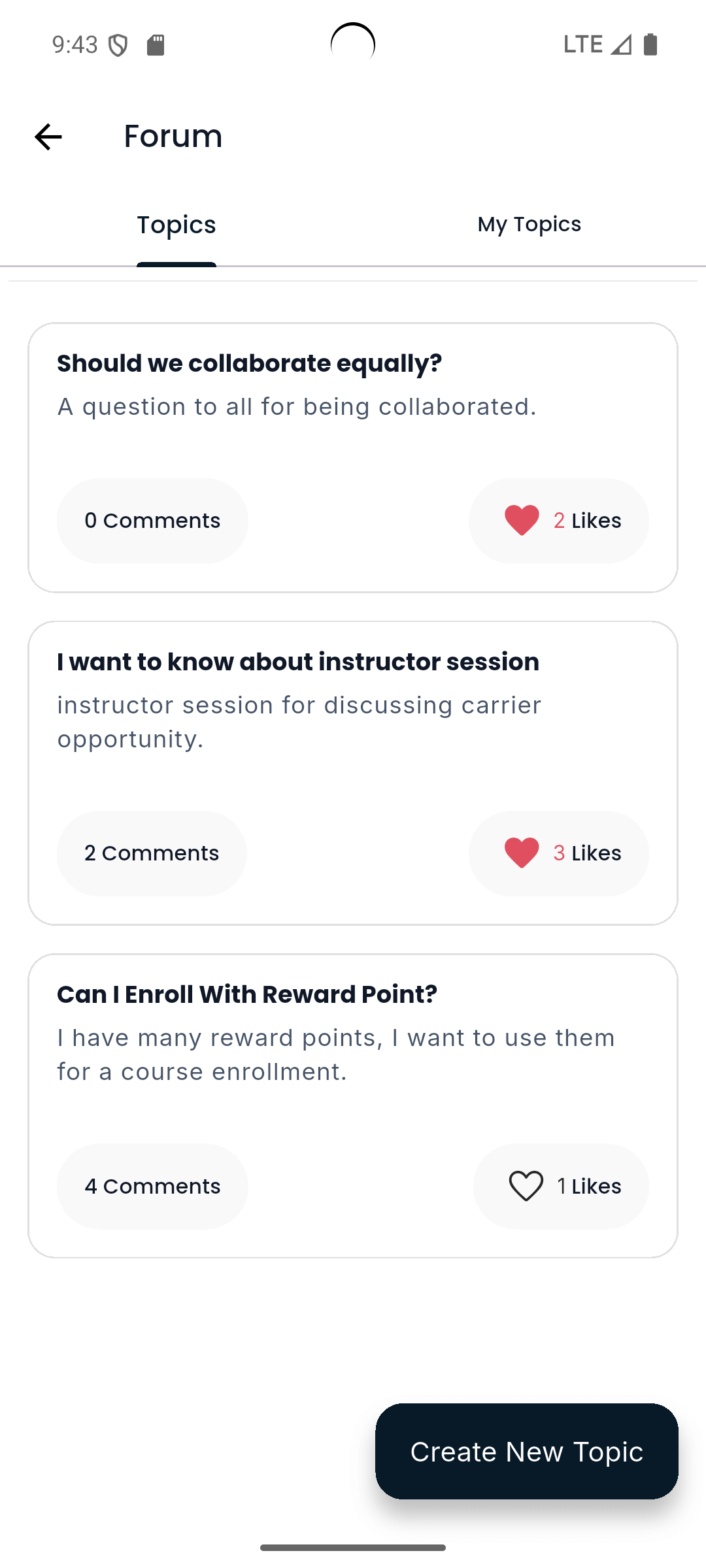
Forum
Community discussion board for Q&A and resource sharing.
Create new posts, reply, upvote and follow threads
Use tags to filter discussions by topic or course
Topics
Browse curated topics and categories to discover content and discussions.
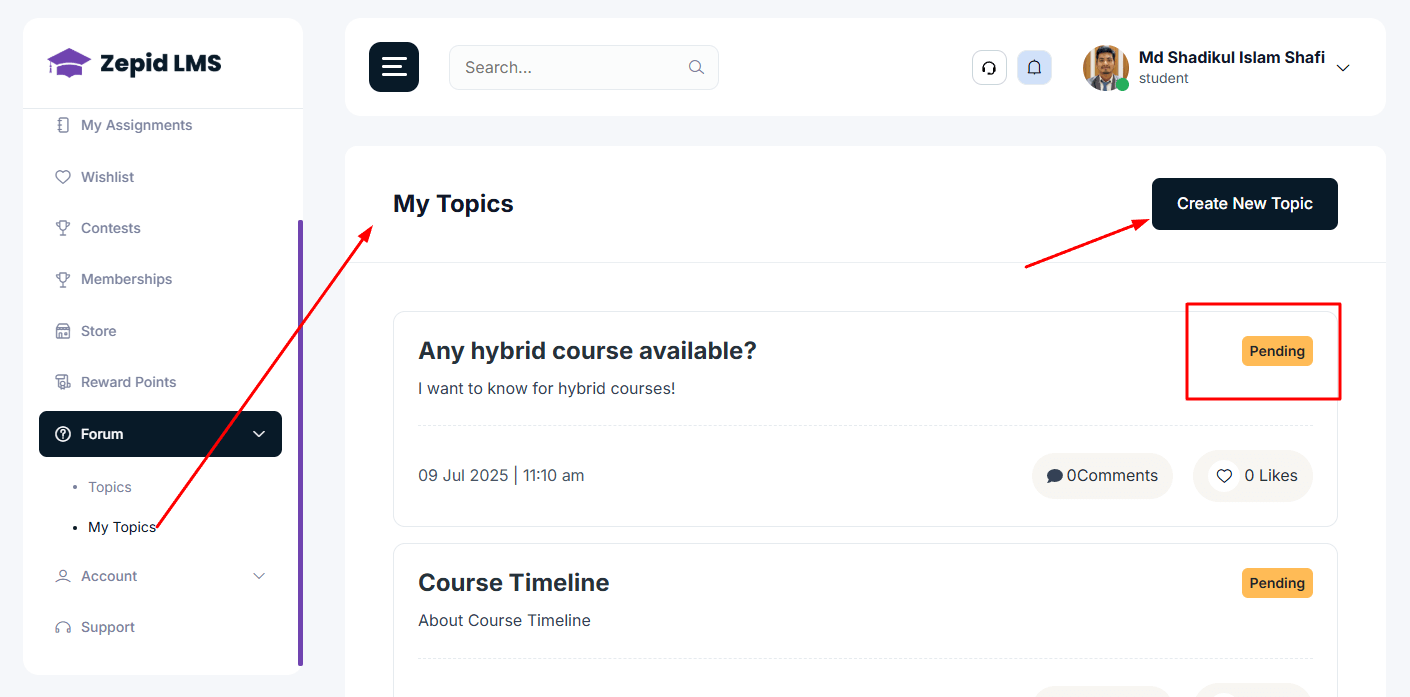
My Topics
Track and manage your created forum topics and discussion threads.
Account
Profile and account-level settings are here.
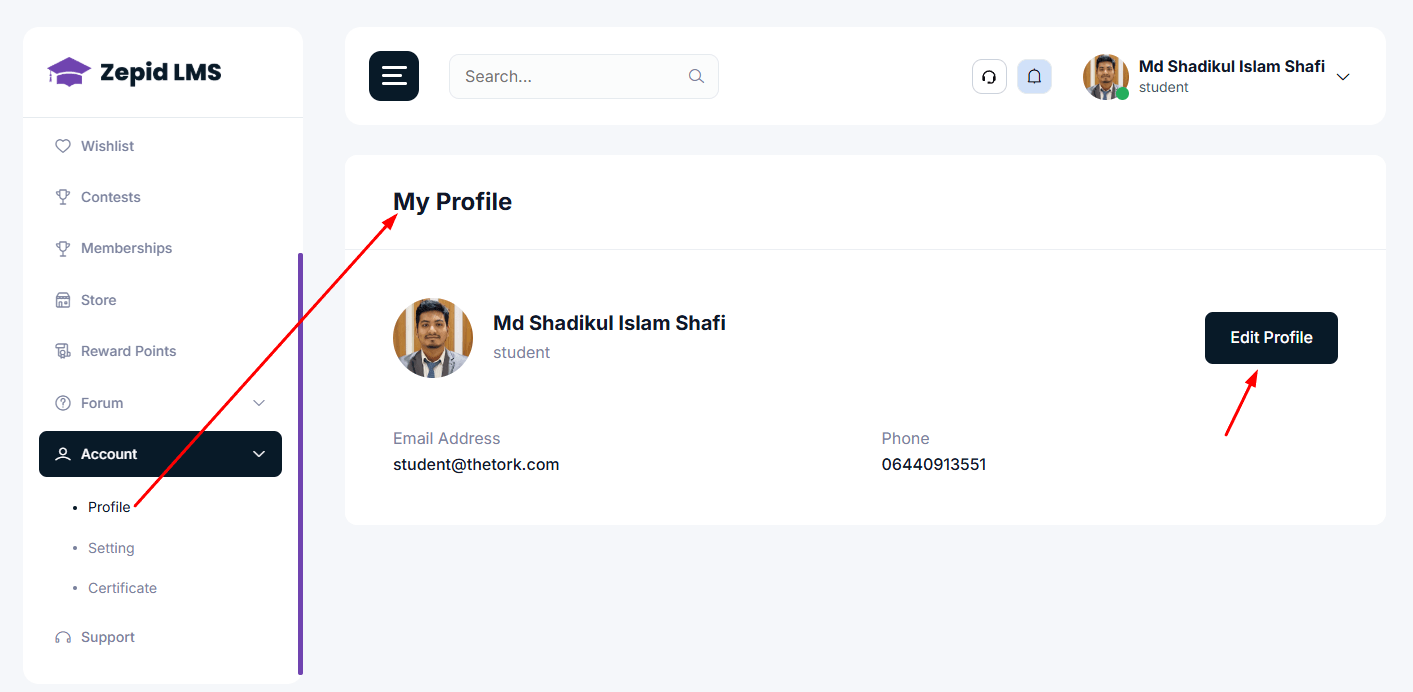
Profile
Update name, email, phone, bio
Upload profile image
View student ID and registration details
Setting
Change password
Notification preferences (email/push)
Privacy and communication preferences
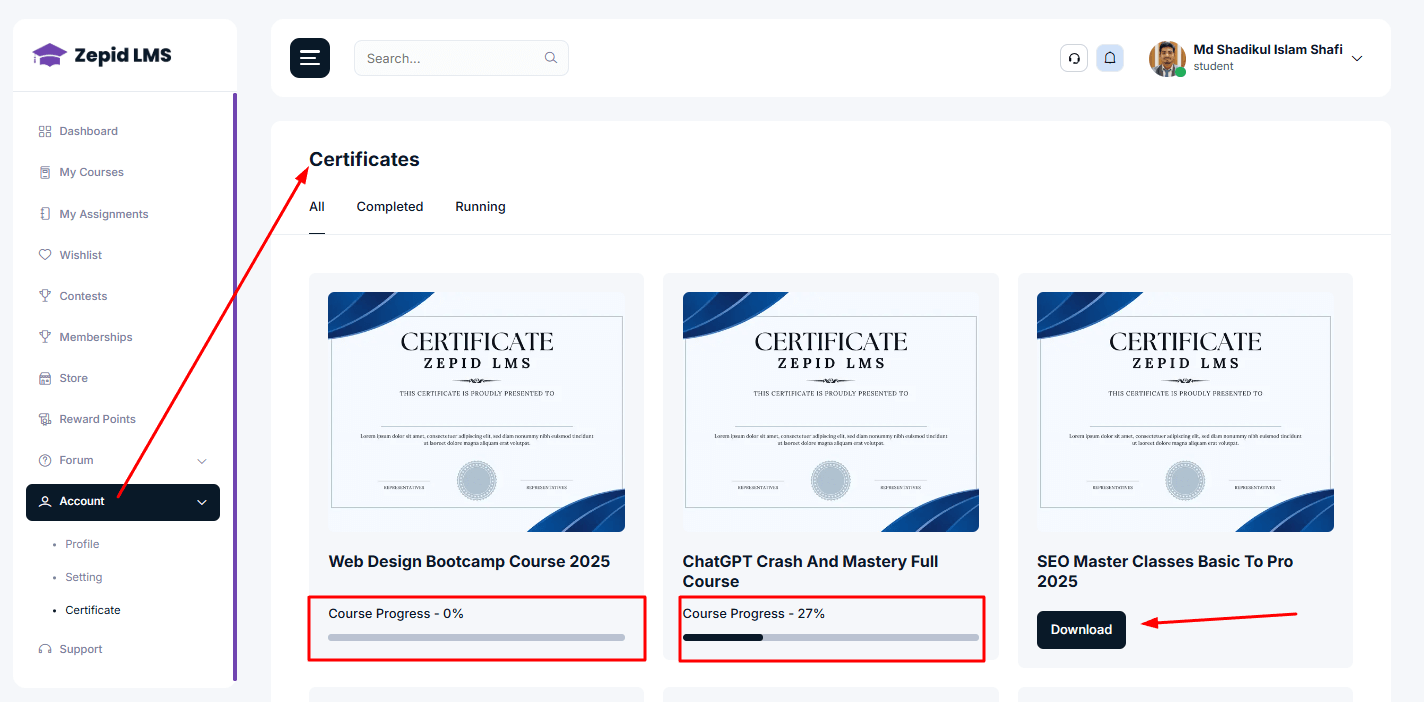
Certificate
Downloadable certificates awarded upon course completion or contest
achievement.
View certificate details and validation ID
Download PDF or print certificate
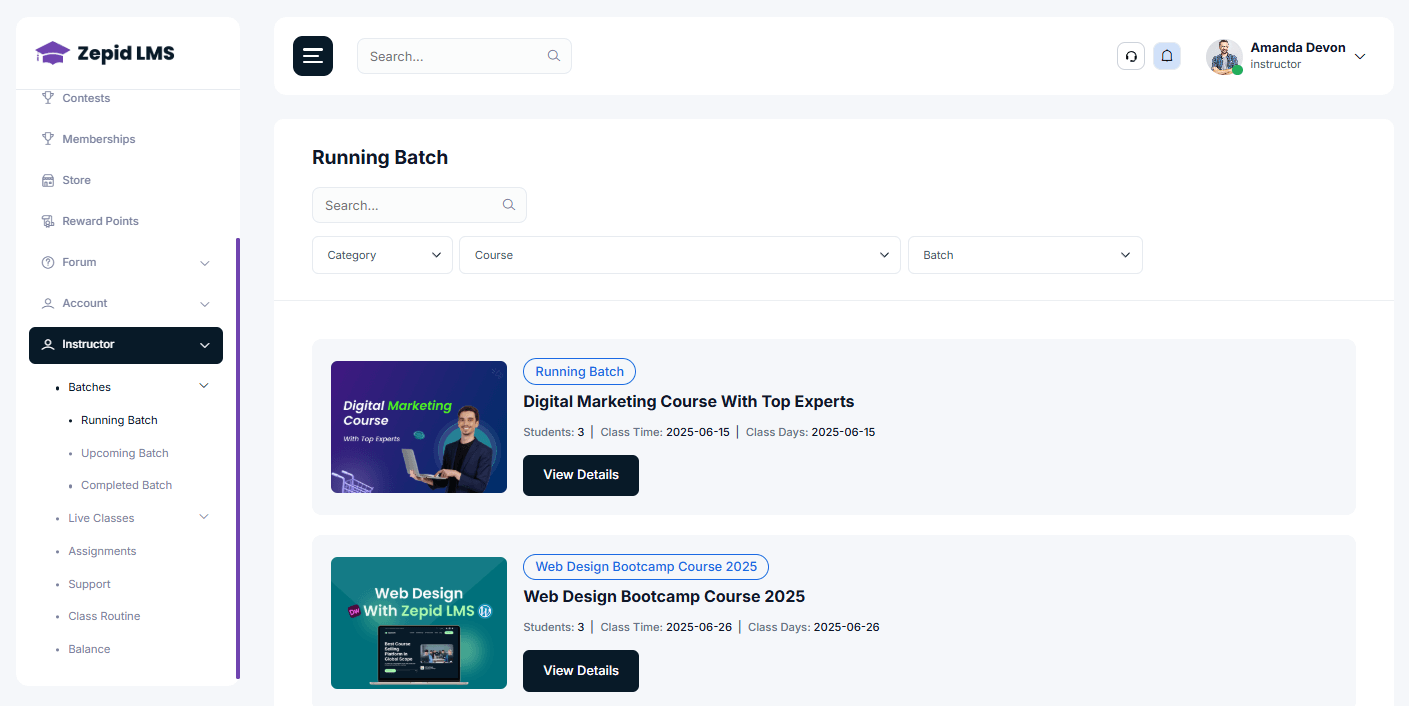
Instructor/Teacher Panel Overview
Instructors inherit all Student Panel features and have extra
administrative/teaching menus.
The following items appear under an Instructor menu in the left
navigation.
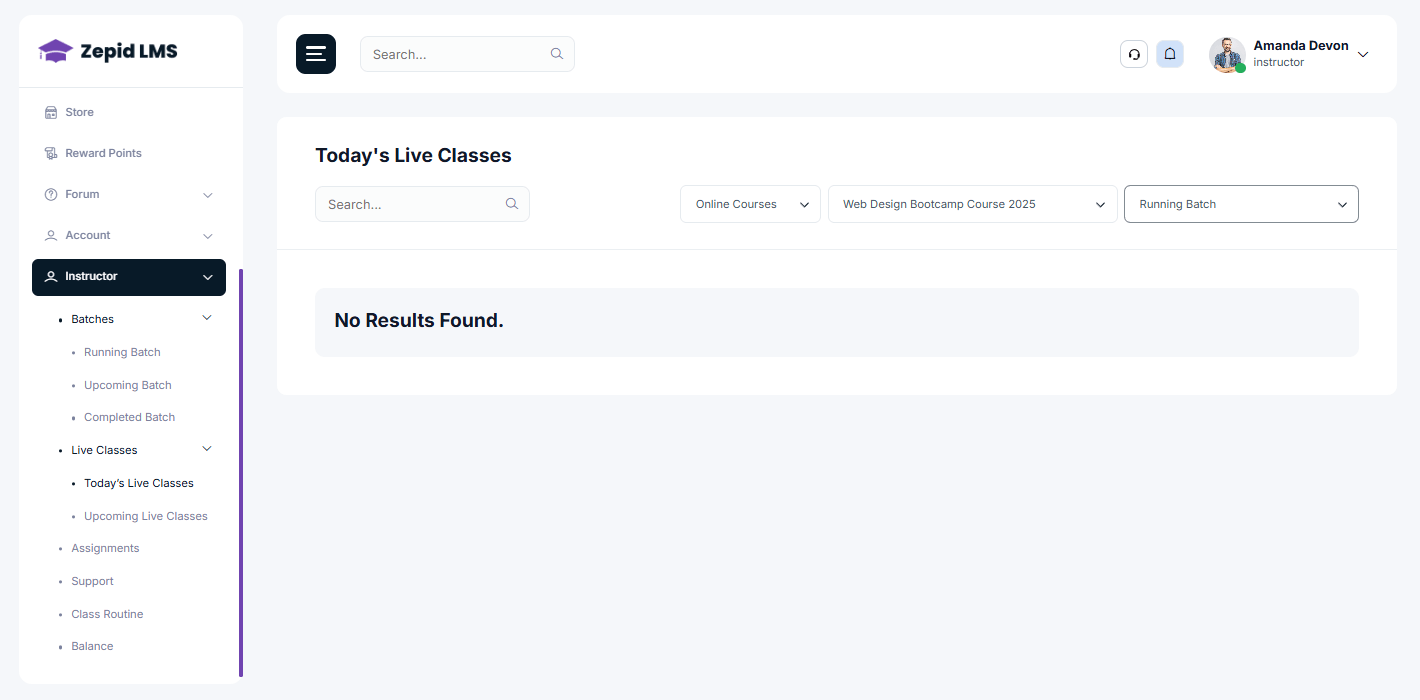
Schedule session date/time and attach to a batch or course.
Publish join links and reminders to batch students.
Record sessions (if supported) and attach recordings to course content.
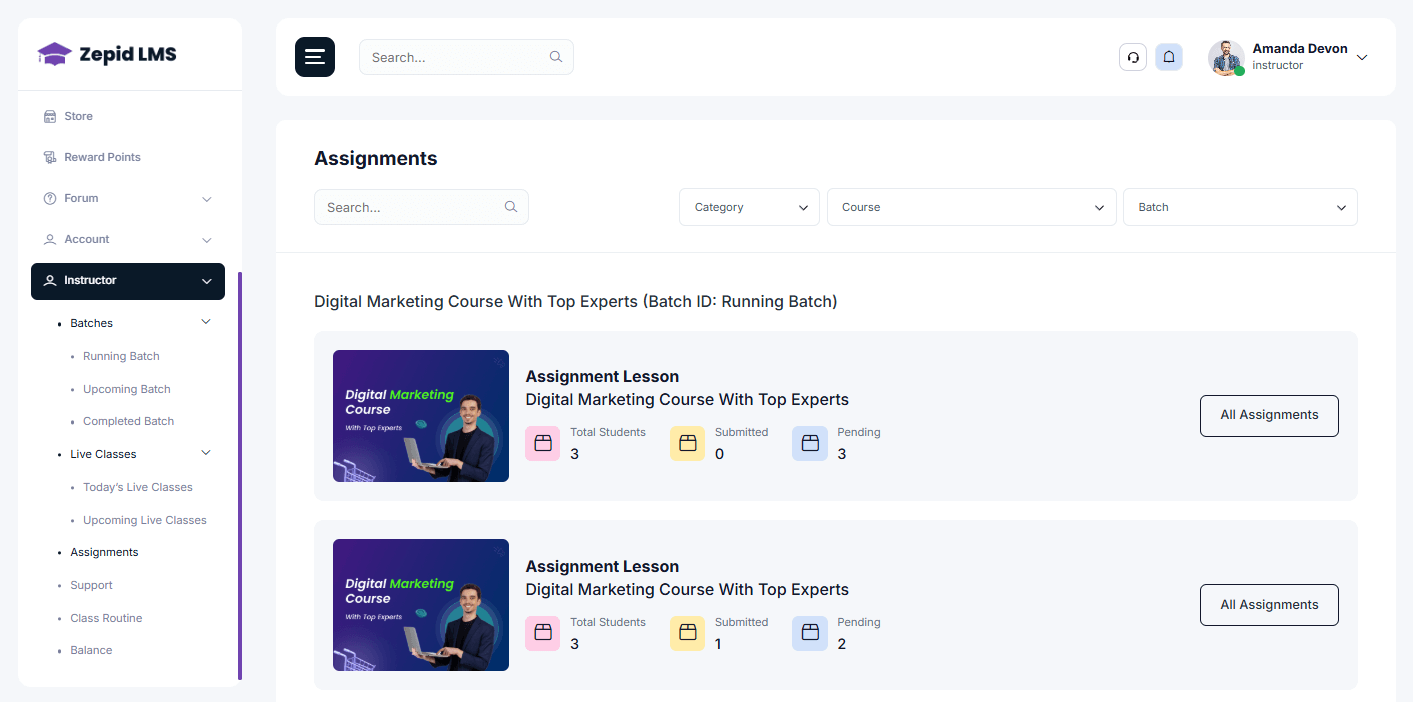
Assignments (Instructor)
Create, manage, and evaluate student assignments.
Create assignment: title, instructions, due date, attached files,
maximum marks.
Set resubmission rules and late penalties (if applicable).
Download student submissions, comment inline, and grade via the grader
UI.
Evaluation workflow: Open assignment → View submissions → Add
feedback → Assign marks → Publish results.
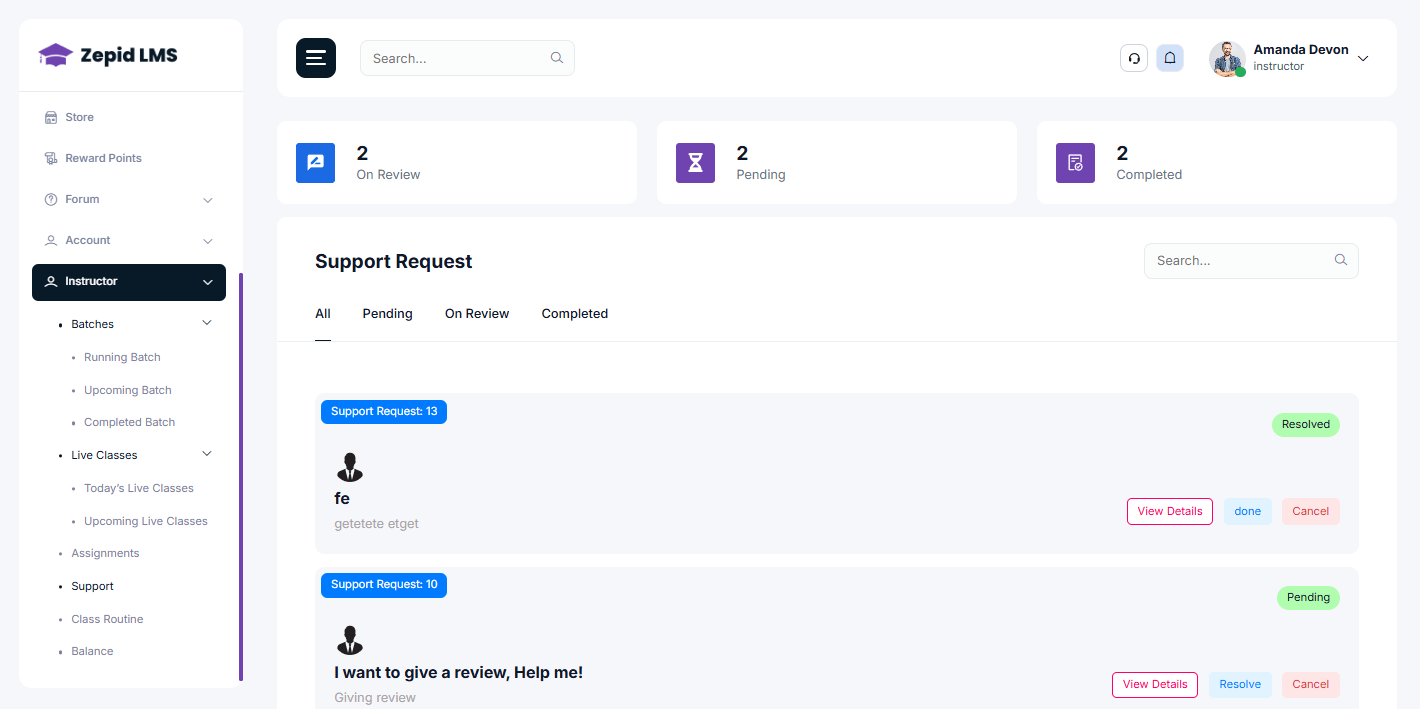
Support
Instructor-facing support module to raise or view tickets and
interact with
platform support.
Open support tickets for technical or administrative issues.
Track ticket status and replies from support team.
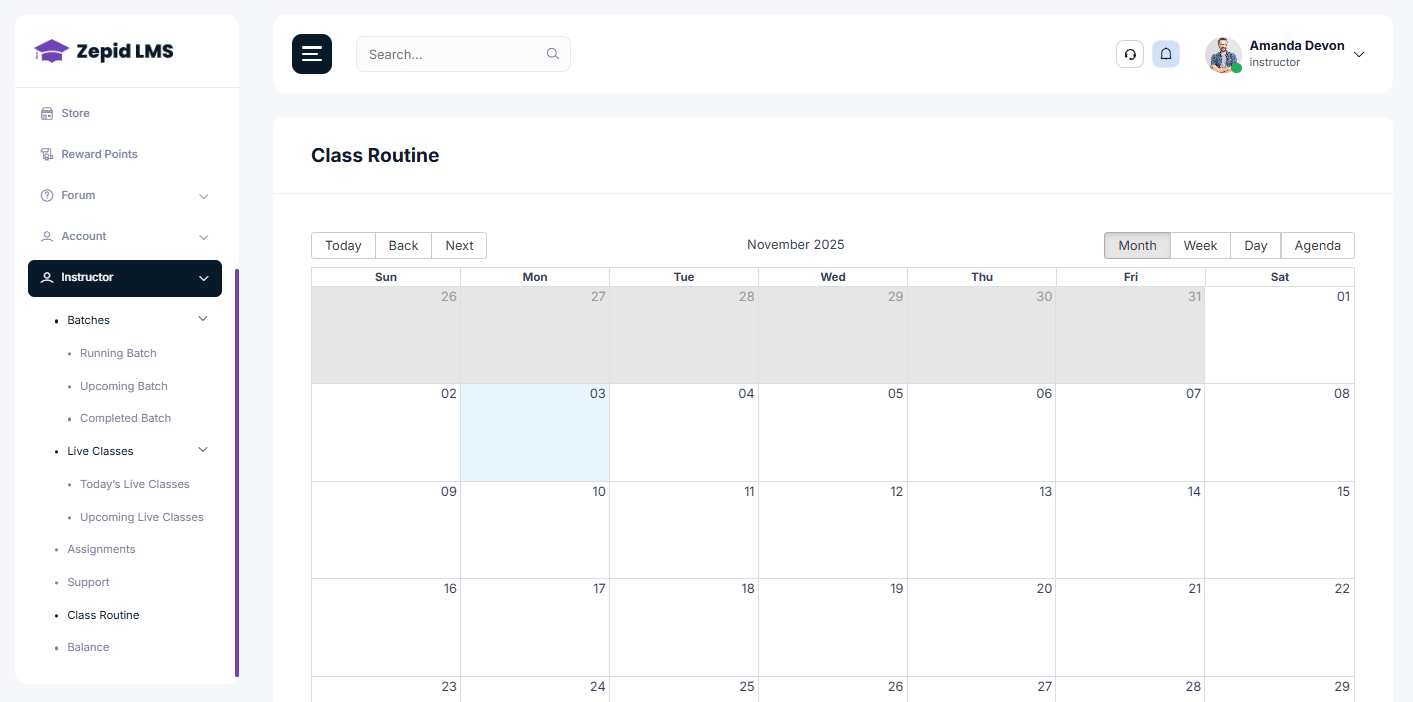
Class Routine
Set class schedules and recurring timetables for your batches.
Create routine entries with day, time, duration and link to
course/batch.
Publish routine to batch students; update changes with notifications.
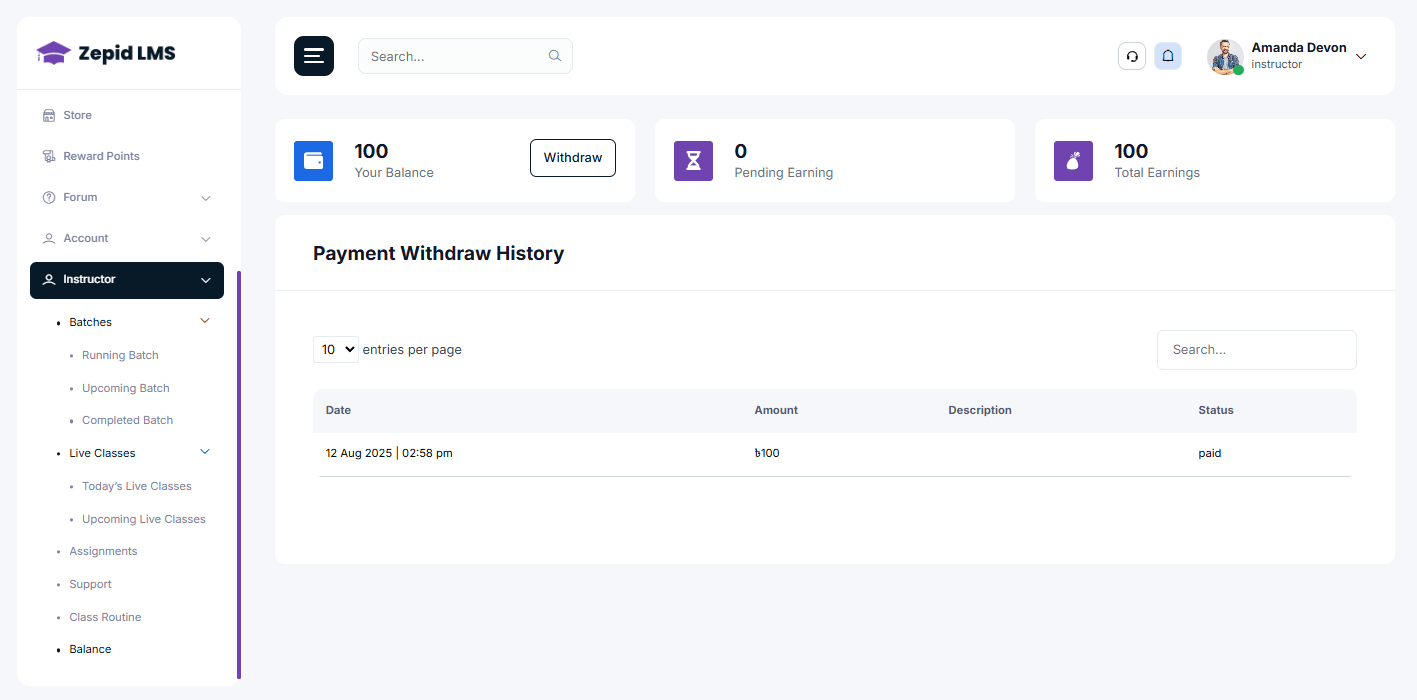
Balance
View your earning statements, withdrawals (if enabled), and
payout history.
Summary: total earned, available balance, pending payouts.
Withdrawal requests: request payout and view history.
Quick Feature Comparison
Feature Area
Student
Instructor
Dashboard
Yes
Yes (with teaching metrics)
My Courses
Access & Learn
Access & Edit (if author)
Assignments
Submit & View Feedback
Create, Grade & Feedback
Live Classes
Join
Schedule & Host
Batches
Enroll
Create & Manage
Balance
—
View & Withdraw (if enabled)
Zepid LMS — Admin Panel User Manual
This document explains every admin menu, control, and workflow in the Zepid LMS Admin Panel.
Each section includes purpose, step-by-step actions, common tasks, and screenshots with your real
images.
Overview & Best Practices
The Admin Panel is the central control room for Zepid LMS. Admins manage sales, courses, users,
content, payments and global settings. Follow these best practices:
Use role-based access control — assign specific permissions instead of global admin rights.
Keep weekly sales & payment reconciliation routines for financial accuracy.
Maintain a content publishing approval workflow for blog, events & courses.
Back up settings and static data before performing bulk changes (categories, bulk enrollments).
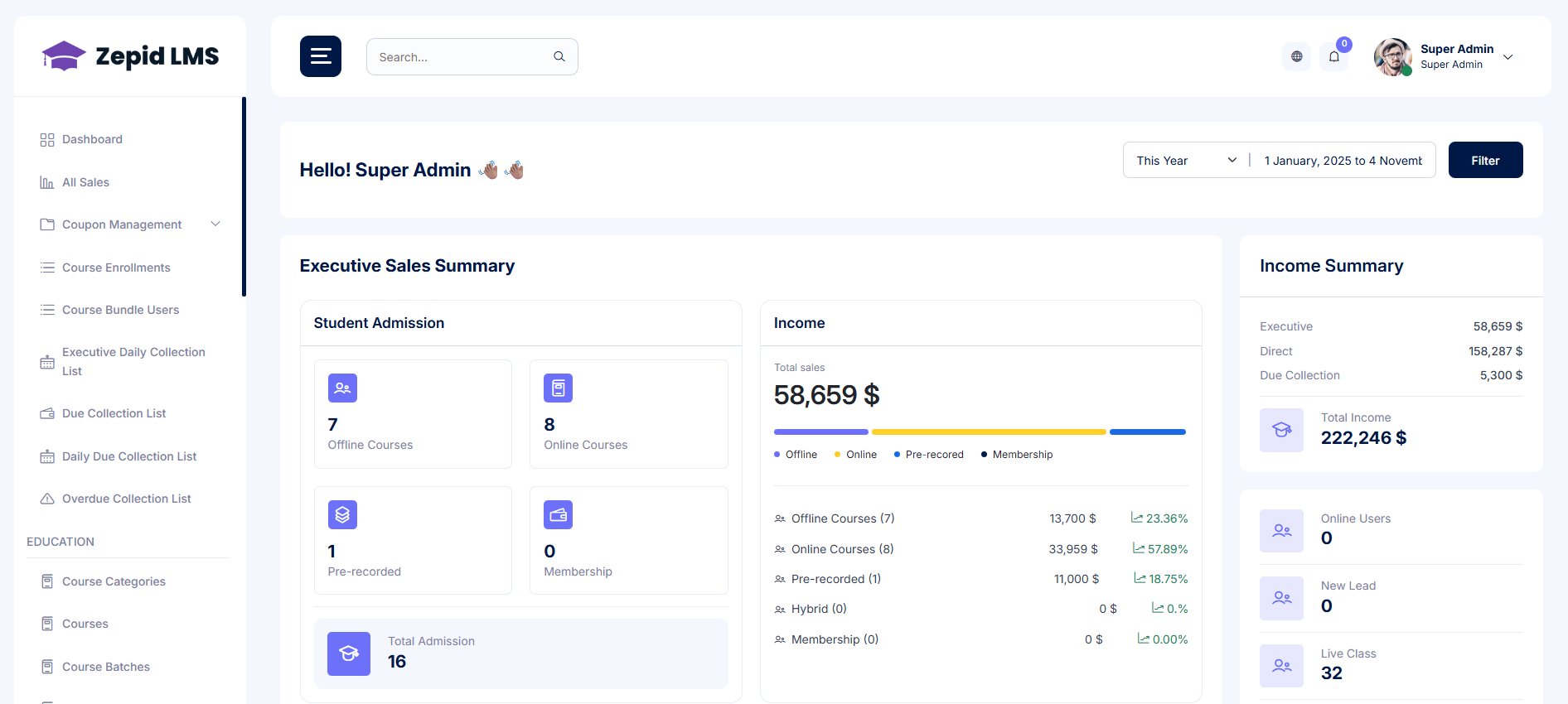
Dashboard & Sales
The Dashboard provides a real-time overview of your LMS performance, helping you track revenue
growth,
student activity, and overall platform engagement. This acts as your command center for monitoring
business
health, identifying trends, and taking quick action when needed.
From here, administrators can view recent enrollments, payment trends, system alerts, and sales
analytics.
Use this area for daily monitoring and decision-making to optimize operations and enhance user
experience.
All Sales
Access a detailed overview of all transactions made across the platform — including courses,
bundles, and store products. This section ensures smooth sales monitoring and record management.
Administrators can review invoices, validate payments, and ensure financial accuracy across all
transaction
sources. It supports transparent revenue tracking and smooth accounting processes.
Filters: Date range, payment status, course/bundle/product, instructor.
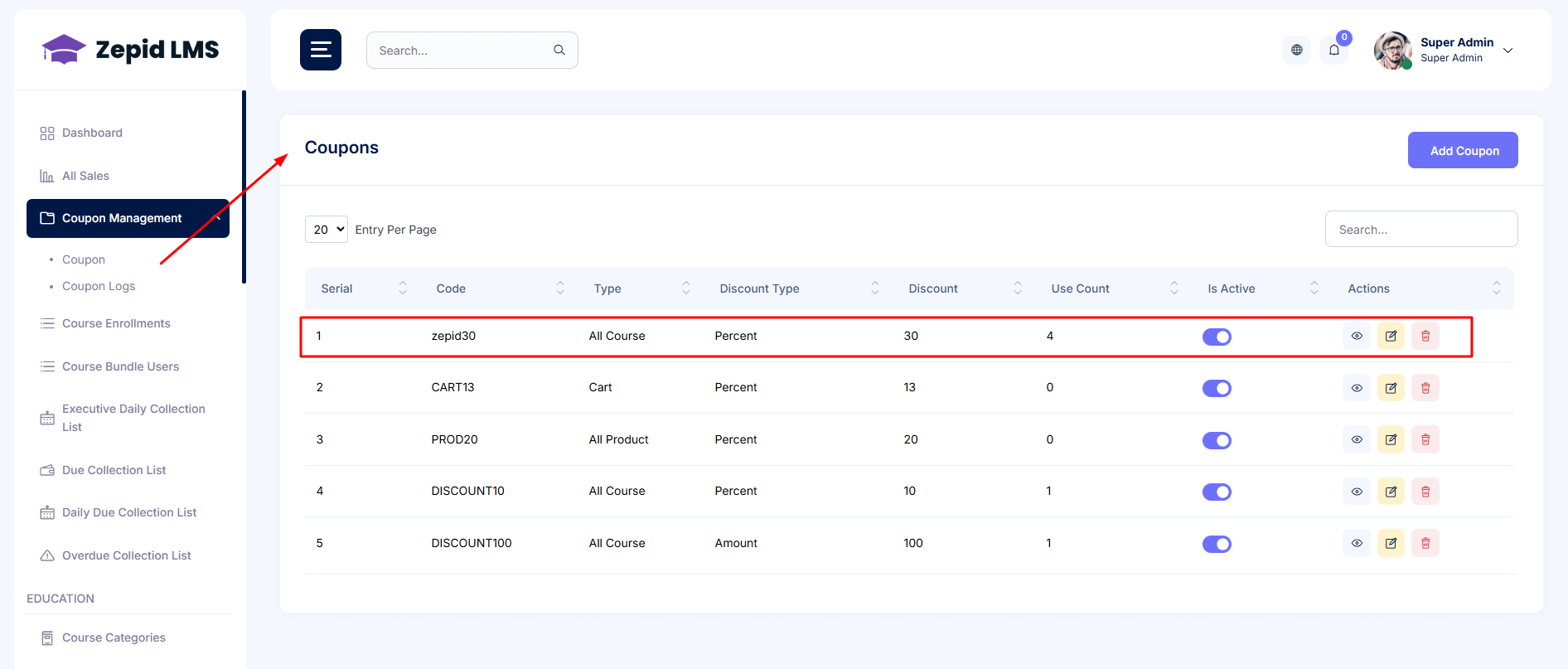
Create and manage discount coupons to boost enrollment campaigns, seasonal promotions, and special
events.
Proper use of coupons helps attract students, increase conversion, and improve marketing ROI.
Administrators can assign coupons to specific courses or bundles, define usage limits, and track
performance metrics to evaluate marketing success.
New Coupon → set code, discount type (percentage/fixed), expiry, usage limit.
Attach coupon to specific courses, bundles, or globally.
Monitor coupon usage and conversion from the reports area.
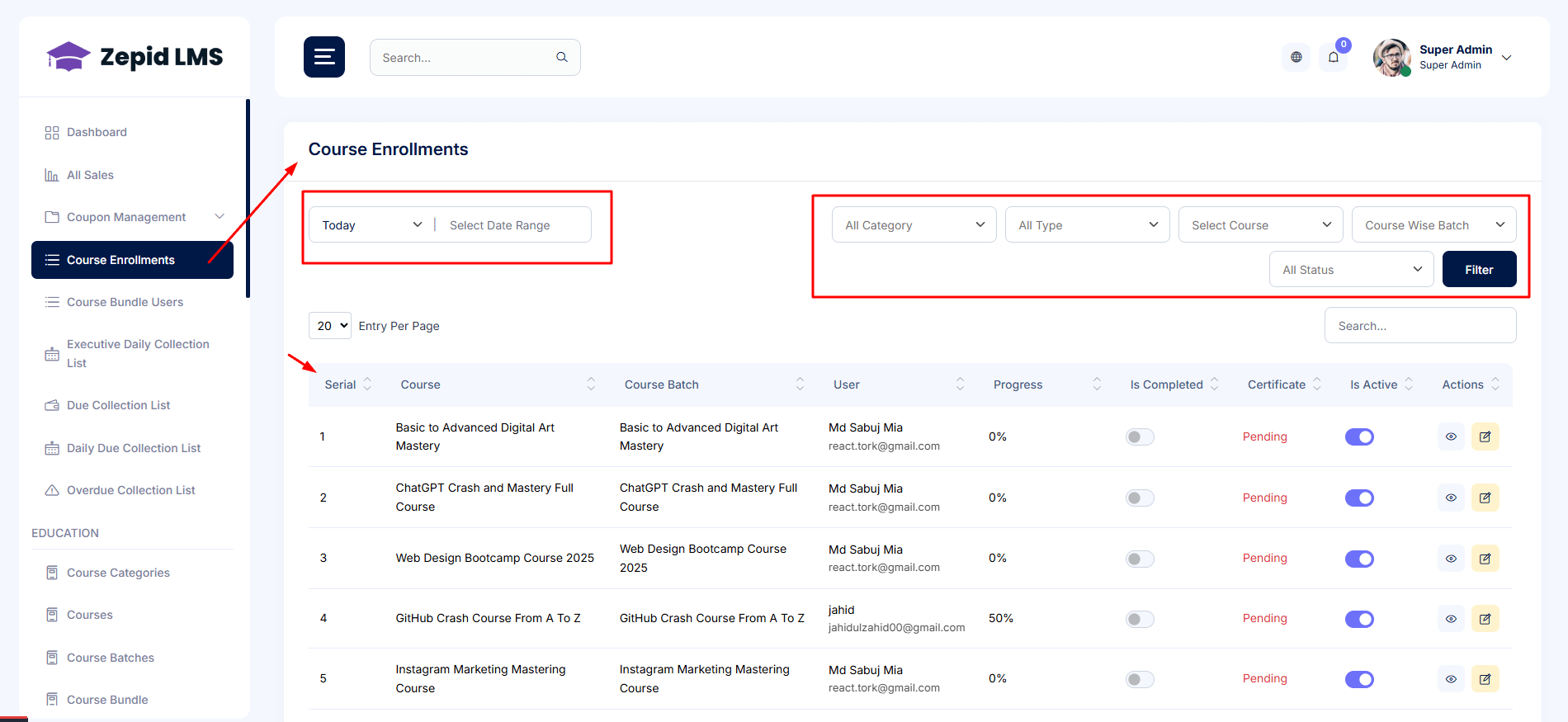
Course Enrollments
View and manage student enrollments across all courses and bundles. This section helps
administrators track who joined, when they joined, and how their access is managed.
From this panel, you can manually enroll learners, manage access periods, and export reports for
academic or business analysis.
Search enrollments by student, course, batch, or invoice.
Manually enroll or revoke access.
Export enrollment lists for reporting.
Education — Course & Academic Management
This module handles every academic workflow — from building course structures to managing batches,
admissions, contests, and educational store products. It centralizes content and student journey
planning
for a seamless learning experience.
Use this area to maintain course hierarchy, update educational content, schedule classes, and
organize
student learning structures in a clear and scalable way.
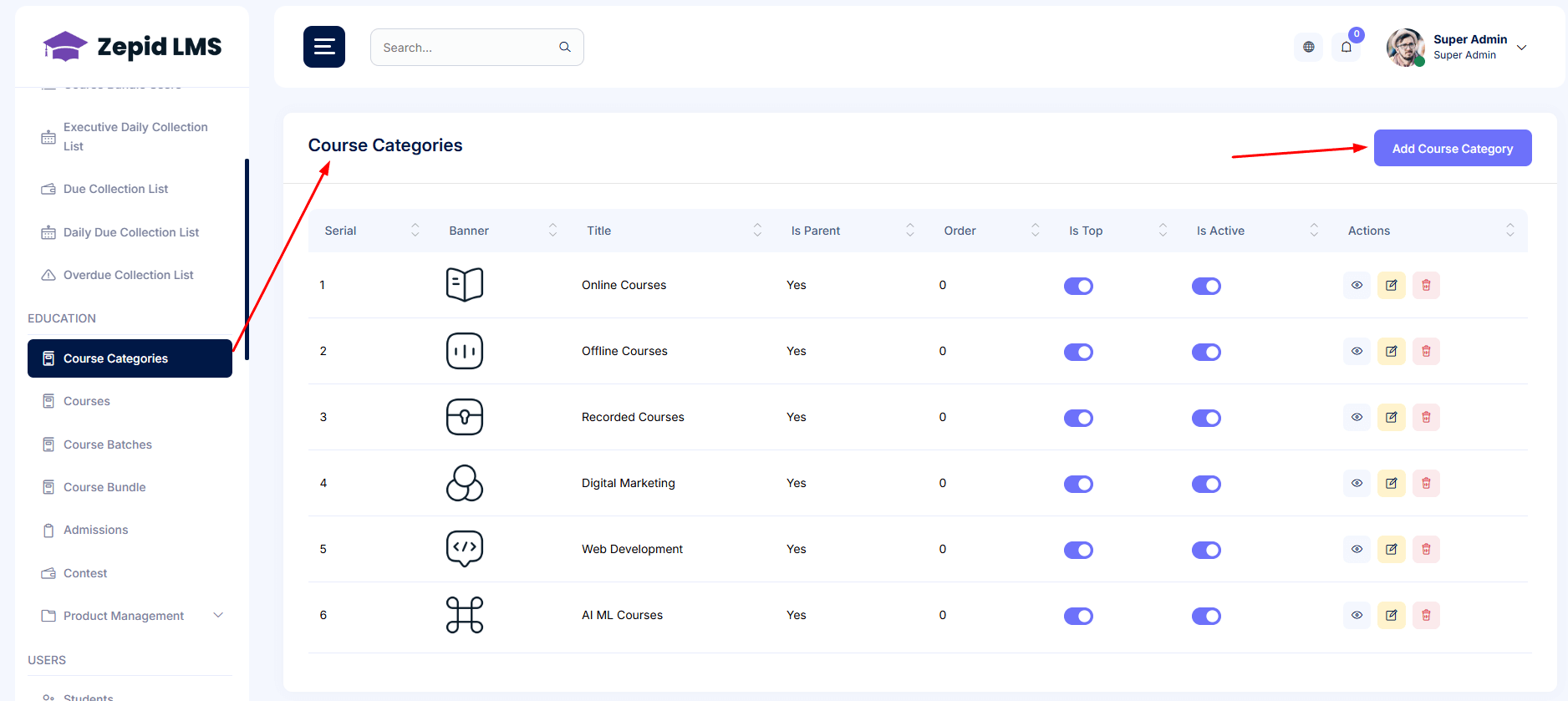
Course Categories
Organize courses into structured categories for easy navigation and search. Category organization
ensures
students can quickly explore topics relevant to their interests or skill level.
Add / Edit / Delete categories and assign icons or banners.
Segment categories by skill-level or department (e.g., Beginner, Advanced).
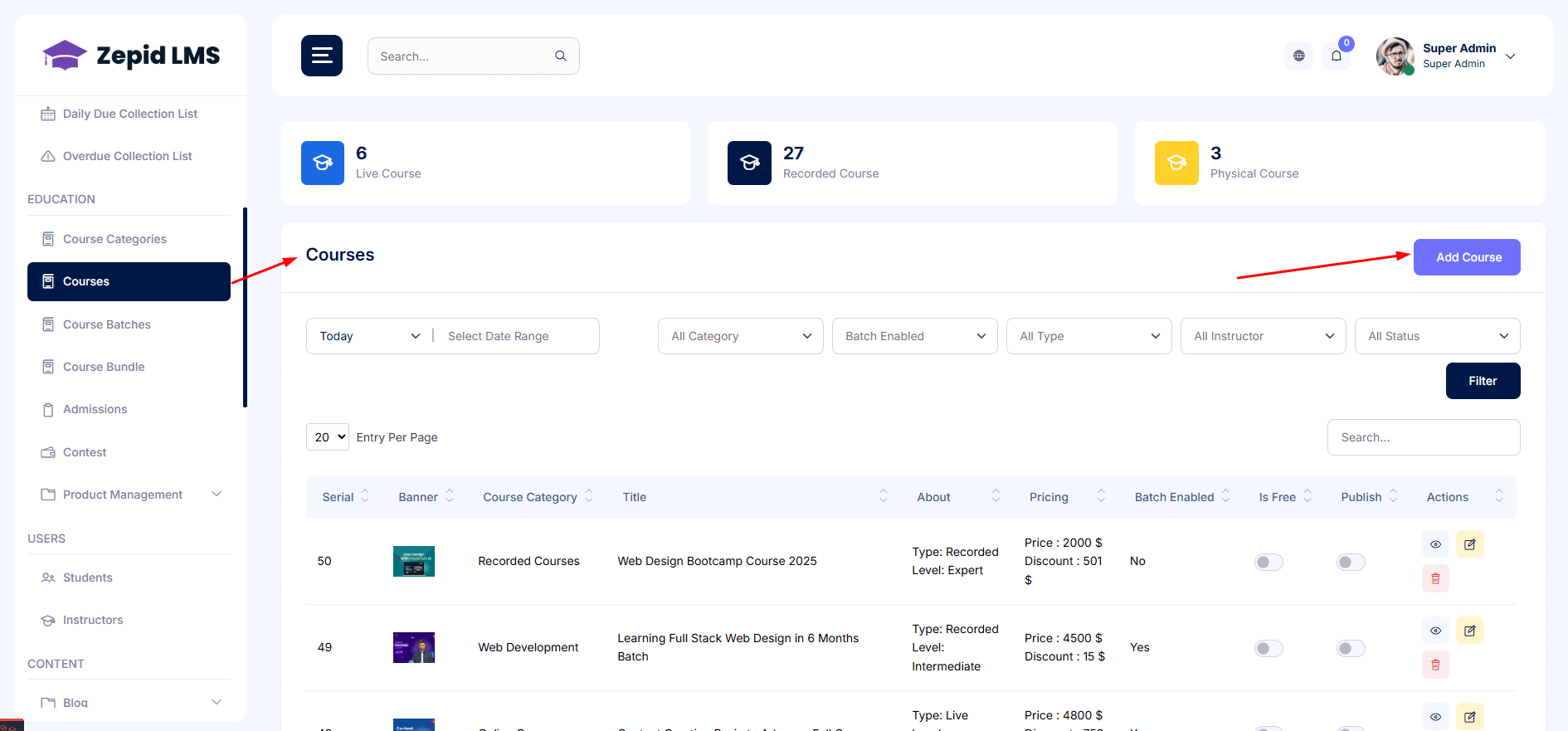
Courses
Manage complete course creation and publishing workflow — from initial setup to curriculum uploads
and SEO settings. This is the center of your e-learning content management.
Build rich learning experiences with modules, videos, quizzes, downloadable files, and real-time
classes.
Set SEO metadata and course visibility (public/private/unlisted).
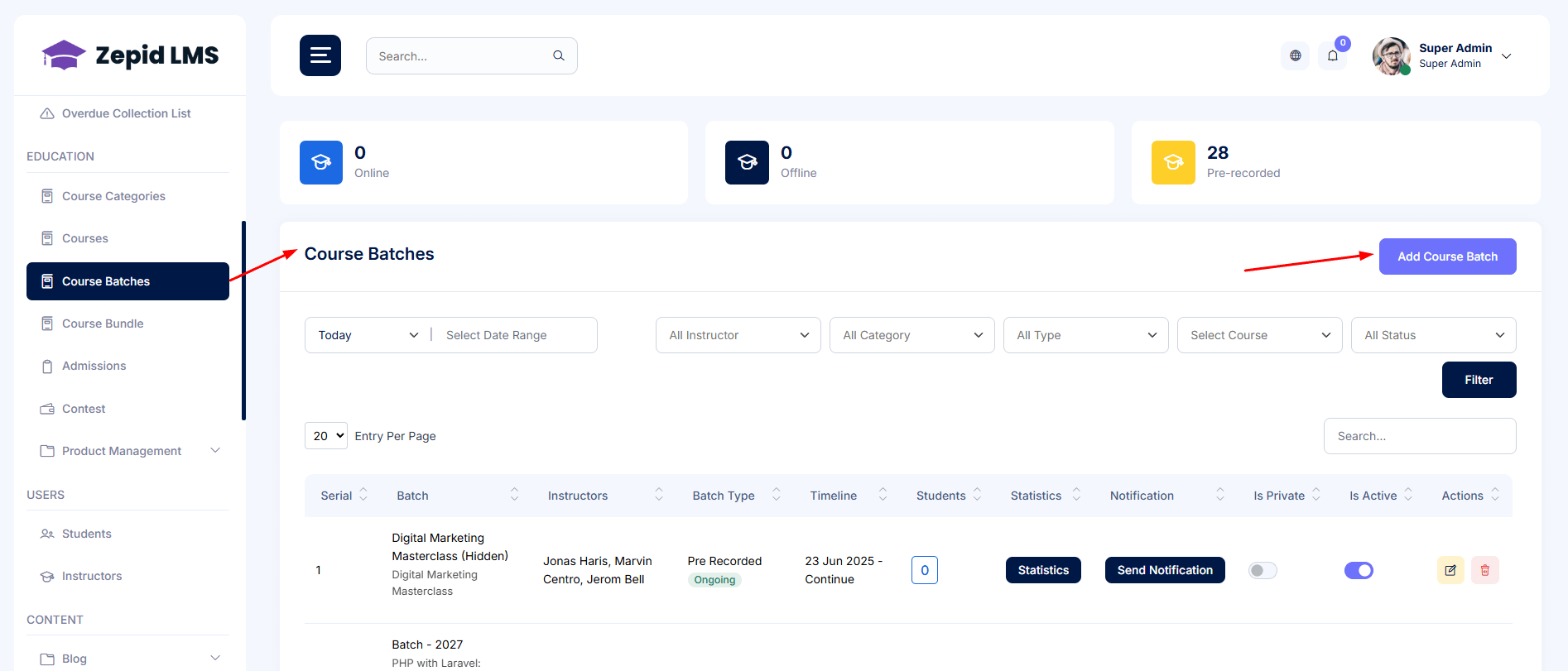
Course Batches
Manage academic batches for group learning and scheduled sessions. Perfect for live programs,
coaching batches, and timed cohort-based courses.
Create batches with start/end dates, capacity and assigned instructors.
Link live classes and routines to specific batches.
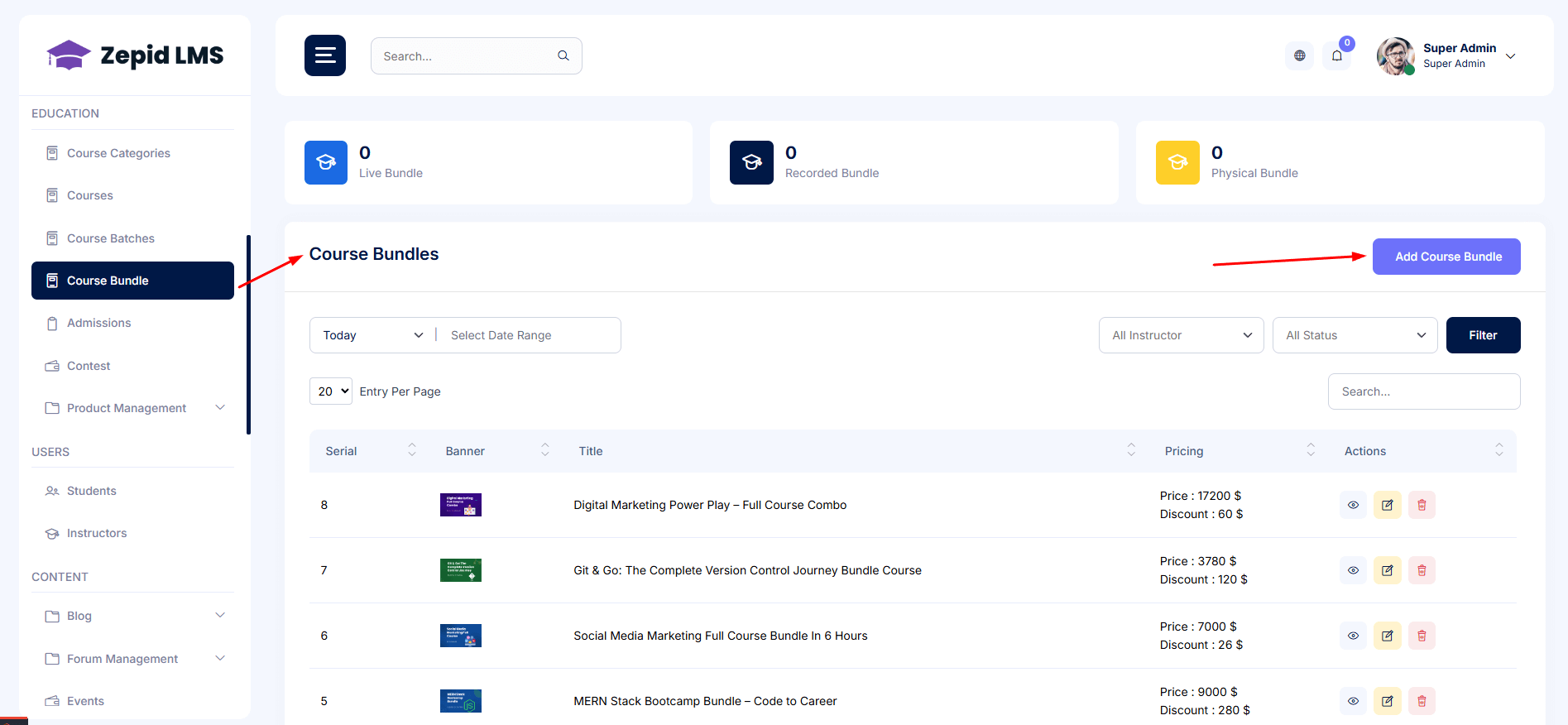
Course Bundle
Combine multiple courses into value-based bundles to improve upsells and program enrollment.
Bundles often perform better for premium learning tracks and long-term programs.
Bundle selection, combined pricing, discount rules and visibility settings.
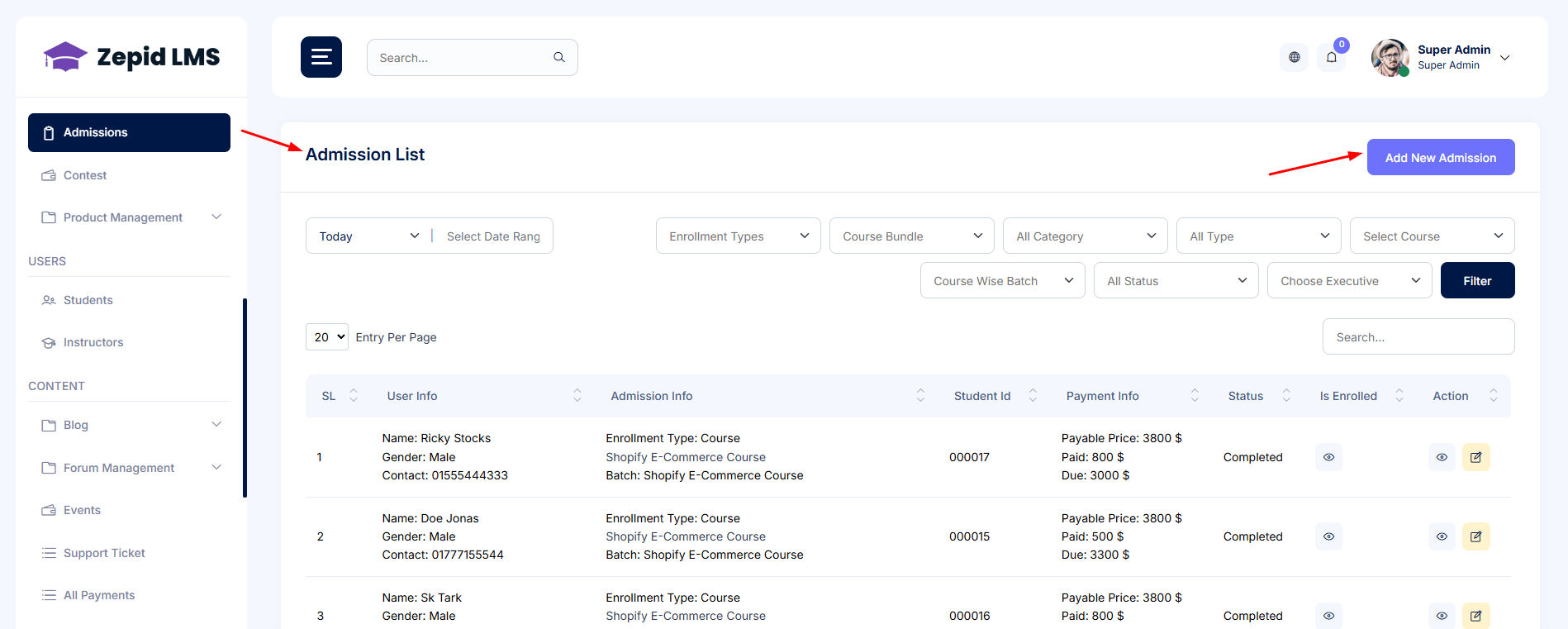
Admissions
Manage student applications, intake forms, and manual approvals. This feature supports
institute-level
admission flow for structured programs and coaching institutes.
Customize admission form fields & validation.
Review pending applications and confirm enrollments.
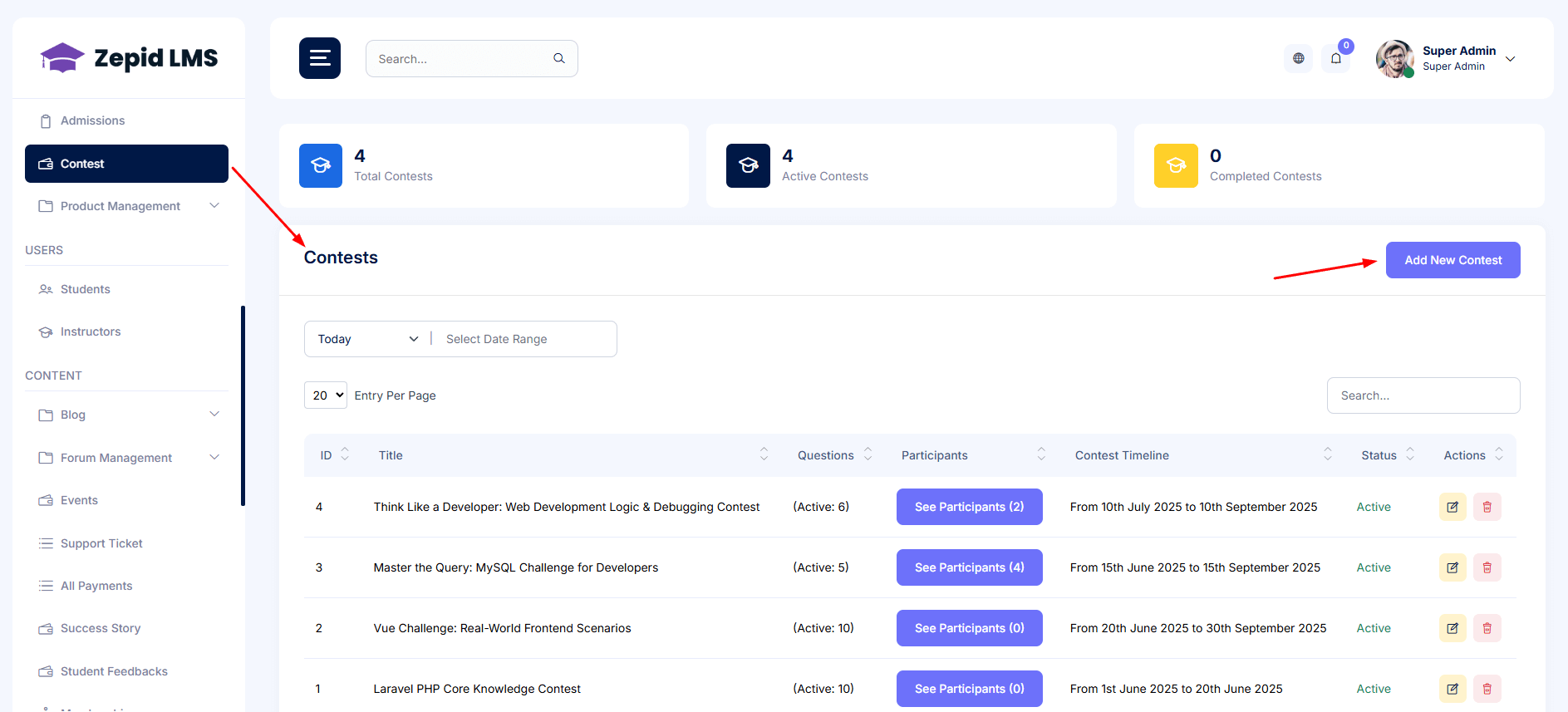
Contest
Conduct academic contests, quizzes, and competitive events to improve engagement and student
motivation.
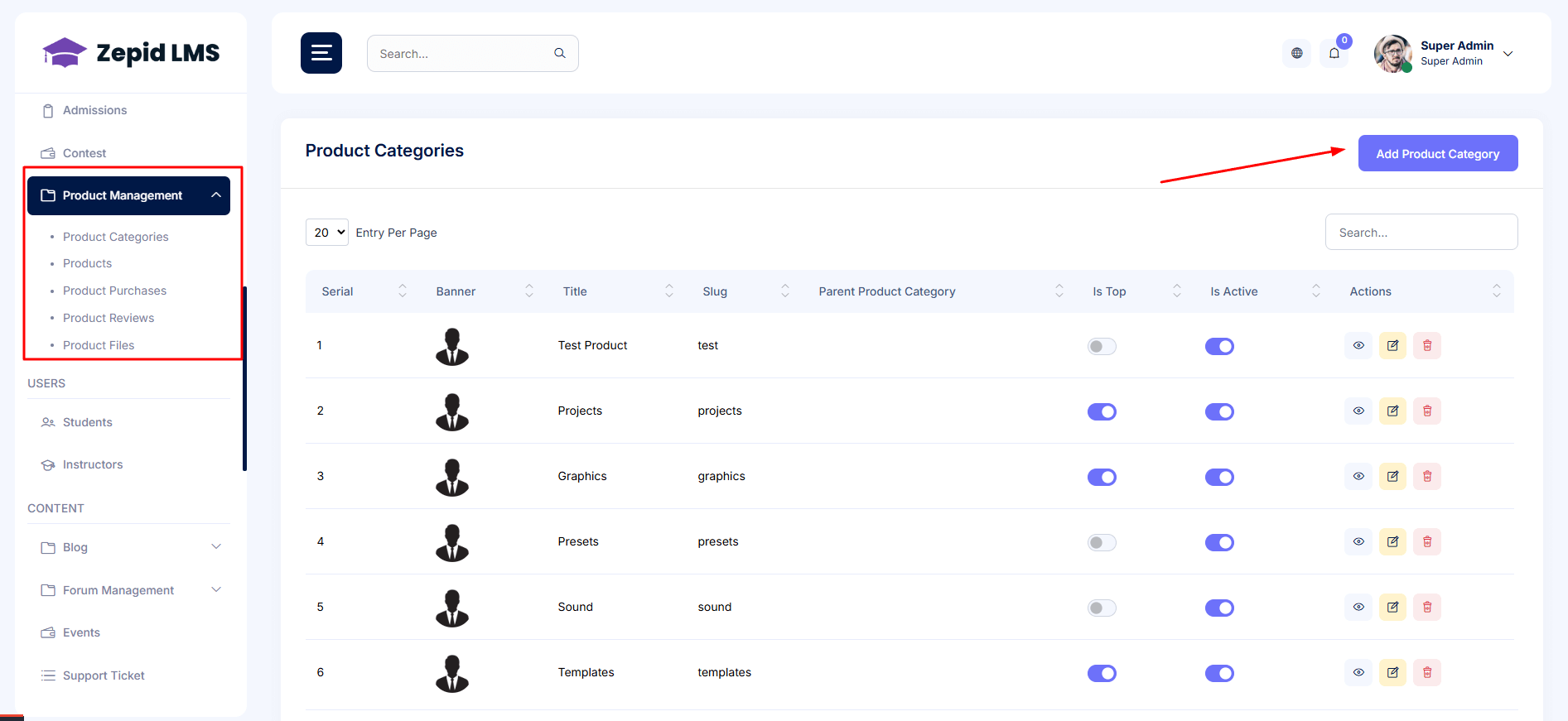
Product Management
Manage digital or physical store items such as e-books, learning kits, and premium study
resources.
This turns your platform into a complete edu-commerce system.
Product variants, stock, download links, SKU and tax settings.
Users — Students & Instructors
Manage all user roles and access permissions. View profiles, enrollment history, certificates,
payments, and communication records in one place.
This module ensures centralized administration of student and instructor accounts, making
platform governance smooth and reliable.
Students
Access complete student records including personal info, enrolled courses, certificates, and
support
activity. This view helps you maintain professional and organized student management.
Search & filter students by course, batch, status, registration date.
View profile, enrollment history, certificates, payments and support tickets.
Perform bulk import or manual enrollment.
Instructors
Add and manage instructor profiles, verify credentials, and assign teaching responsibilities.
Track their student feedback and earning reports if your platform supports instructor payouts.
Approve instructor profiles and verify documents (if required).
Assign payout methods and track instructor earnings (if applicable).
Content & Community
Blog
The blog system allows administrators to consistently deliver valuable content,
share educational resources, and increase brand visibility. Manage articles,
categories, metadata and publishing schedules to maintain ongoing engagement with
students and visitors. All content is fully SEO-optimized for maximum reach.
Create & edit blog posts
Add featured image & tags
Schedule publishing
Optimize title & meta description
Forum Management
Forums help build a learning-driven community by allowing students to ask
questions, exchange ideas, and collaborate. Admins can moderate discussions,
ensure respectful communication, and highlight key conversations for visibility.
This supports peer learning and improves platform engagement.
Approve or remove posts
Pin important threads
Block abusive members
Assign & manage forum tags
Events
Manage online and offline workshops, webinars, seminars, and community events.
The system centralizes event creation, student registration, reminders, and attendee
management to ensure smooth execution and maximum participation.
Create events with date & time
Manage registrations
Send email reminders
Download attendee list
Support Ticket
The ticket center ensures every student request receives proper attention. From
technical issues to course-related inquiries, support agents can track, assign,
prioritize, and resolve tickets efficiently. Internal notes and history logs help
offer high-quality, consistent support.
View new & pending tickets
Assign tickets to support staff
Reply and mark as resolved
Track SLA priority
Success Story & Student Feedbacks
Highlight real success stories and student testimonials to build trust and
credibility. Admins can review and publish verified achievements, encouraging
motivation among learners and showcasing training quality.
Review submitted feedback
Approve, reject, or edit stories
Showcase success stories on public website
Memberships & Subscriptions
Manage recurring membership programs and premium learning access. Configure plans,
control benefits, track active subscriptions, and analyze subscription revenue
growth. Ideal for academy-based or hybrid learning models.
Create subscription plans
Manage pricing & validity
View active & expired members
Course Review & Bundle Review
Student reviews help improve teaching quality and platform reputation. Admins can
monitor feedback, respond professionally, and filter spam or inappropriate content
to maintain a constructive review environment.
Approve or hide reviews
Reply to student feedback
Filter by course or student
Payments & Collections
Executive Daily Collection
Track day-to-day payment collections done by field executives or institute
branches. This dashboard ensures accountability, provides deposit information, and
allows admins to verify collection activity.
View daily collected payments
Download collection report
Verify deposit status
Due Collection List
Manage pending student payments with reminders and follow-ups. Helps finance and
support teams plan collection activities and maintain smooth cash flow.
Filter by student, date, course, amount
Send payment reminder
Mark payment as received
Overdue Collection
Identify and prioritize long-pending dues. Enables financial departments to plan
escalations, send automated reminders, and ensure proper recovery workflows.
Identify unpaid dues
Send automated reminders
Export overdue list
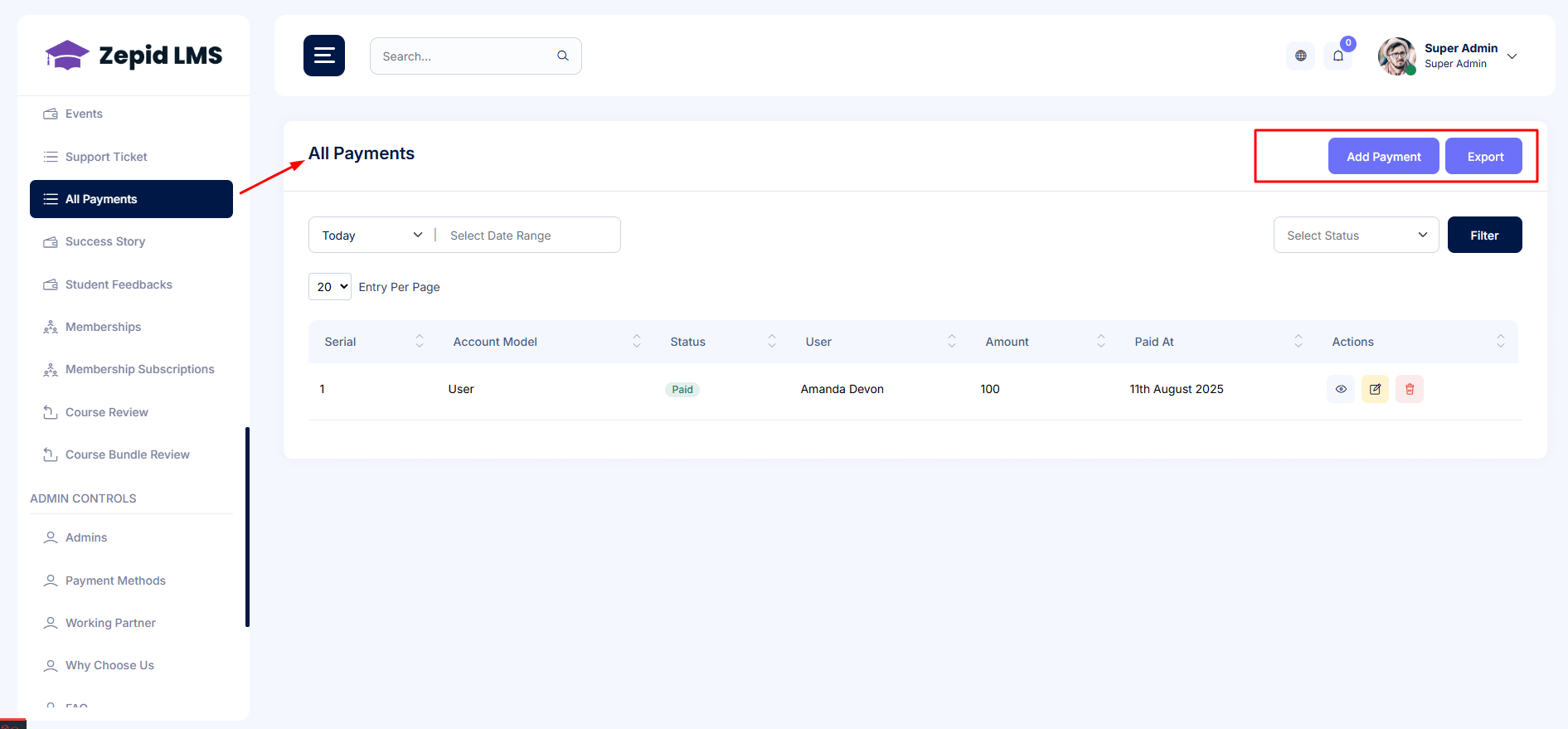
All Payments
A centralized finance ledger that shows every student transaction including online
payments, cash receipts, refunds and chargebacks. Filter, audit and export data
for seamless accounting and reporting.
View all financial transactions
Search by student, course, date
Manage refunds & finance notes
Export report (CSV)
Admin Controls & Settings
Manage core system settings, branding, permissions, and admin accounts. This section
enables safe and scalable platform operation with role-based access control and
system configuration tools.
Admins
Create and manage administrative accounts with controlled access. Assign roles
based on operational responsibilities to ensure proper access hierarchy.
Create admin accounts
Assign access levels
Reset credentials
Payment Methods
Configure and manage payment gateways including Stripe, PayPal, Nagad, and bKash.
Enable sandbox mode for testing and set callback URLs for secure transaction
processing.
Enable/disable gateways
Set callback URL
Enable test mode
Working Partner
Showcase your partner organizations and affiliates. Add logos, links, and partner
information to strengthen credibility and highlight collaborations.
Why Choose Us
Customize the key value-proposition points displayed on your homepage. Update
short descriptions and icons to reflect your brand’s strengths.
FAQ
Create and manage frequently asked questions to help students resolve common
queries quickly, reducing support load and improving learning experience.
Add common questions
Assign to category
Publish/Unpublish FAQ
Roles & Permissions
Assign user roles and granular access permissions to ensure secure operation.
Maintain proper control by allowing only authorized staff to manage sensitive
tasks and data.
Create roles (Admin, Support, Finance)
Assign permissions
Audit access activities
Social Media
Add and manage official social media profile links and enable sharing settings
for automated engagement elements.
Profile, Settings & Logout
Update personal admin information, manage platform branding such as logo and
contact info, and securely logout from the system.
Mobile App
The Mobile App allows students and instructors to access courses, contests, blogs, and community
activities
on the go. It provides a seamless experience for learning, teaching, and engagement directly from
Android and iOS devices.
Installation
Download the app from the Google Play Store or Apple App Store. Once installed, launch the app to
begin setup.
Ensure you have an active internet connection for the first-time configuration.
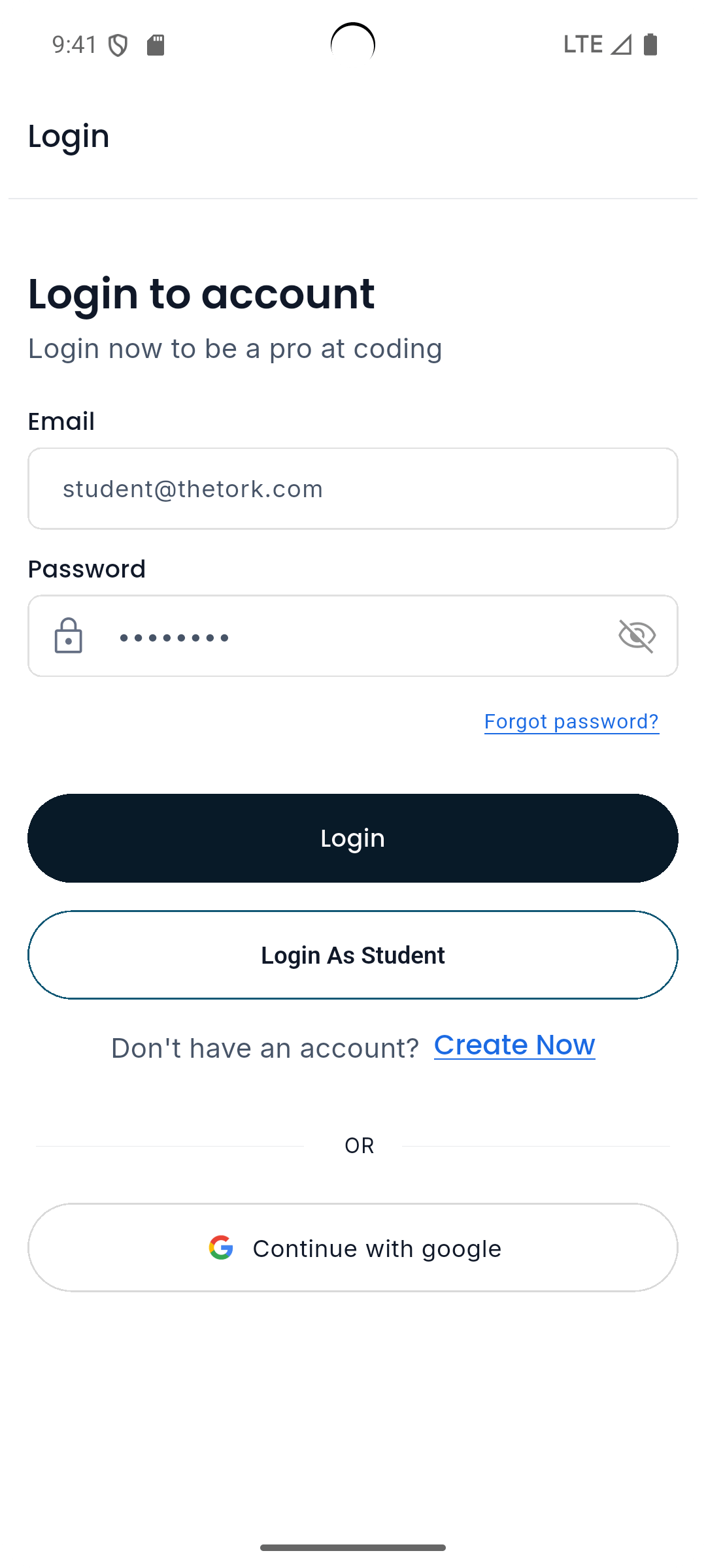
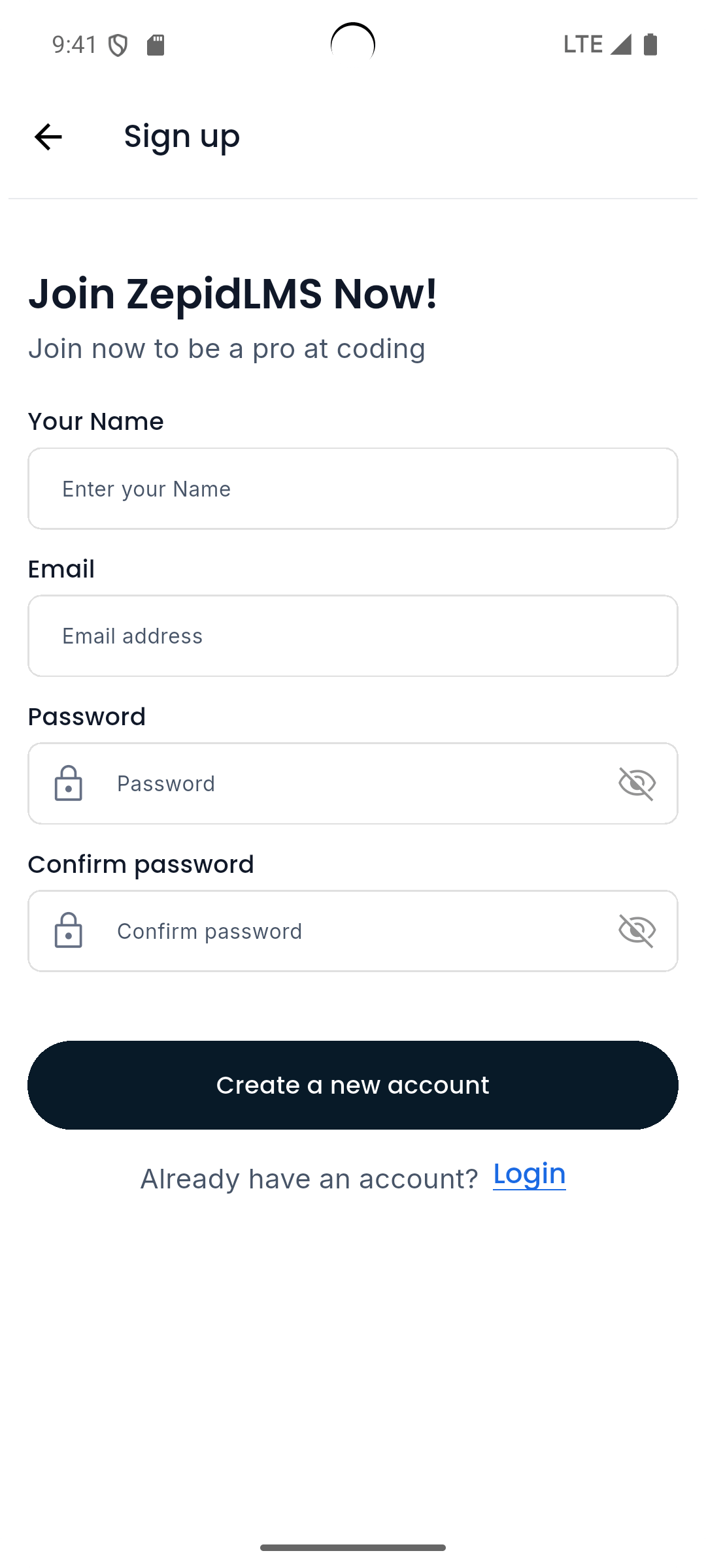
Login / Signup
Users can sign up using their email, mobile number, or social media accounts. Returning users can
log in directly.
After successful login, the app dashboard will appear with personalized content and
recommendations.
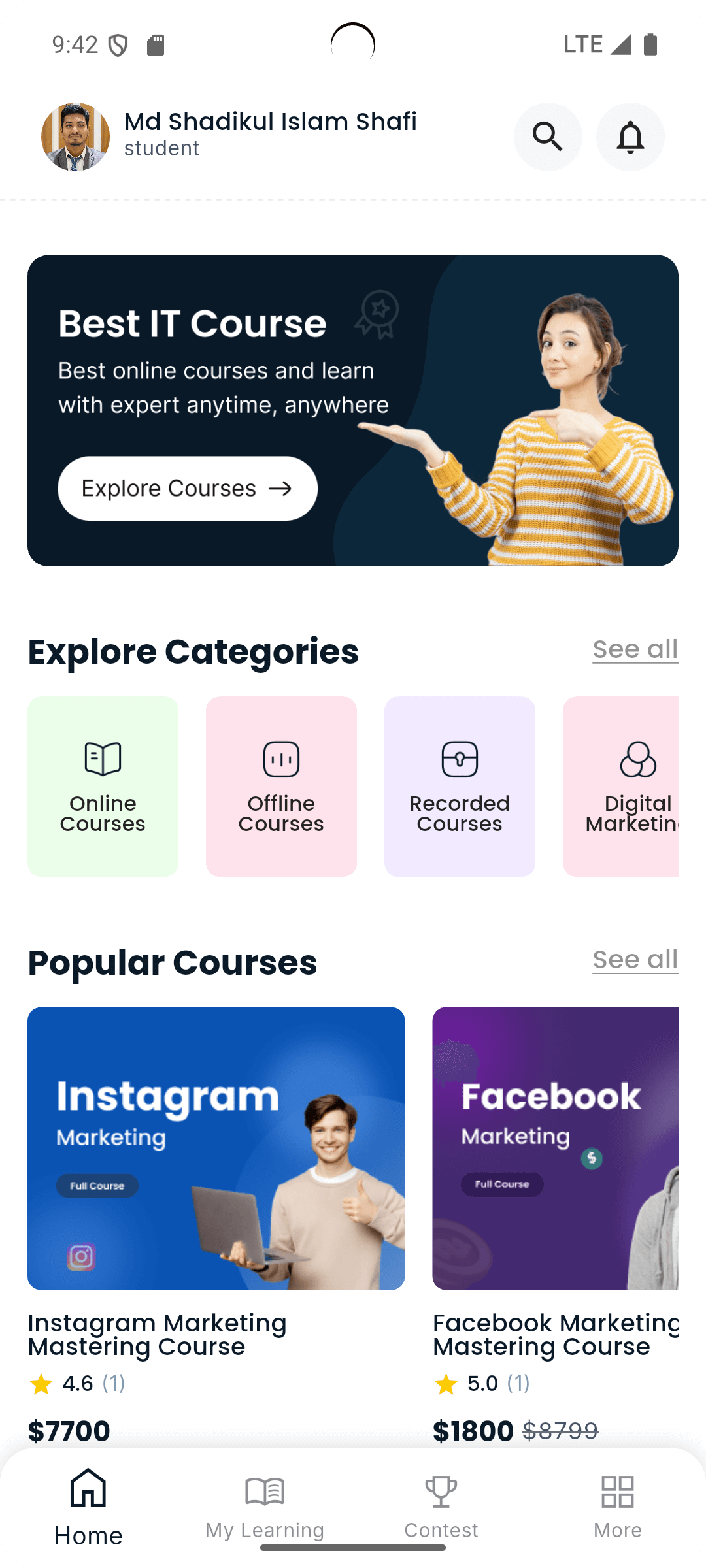
Dashboard
The Dashboard gives an overview of your courses, progress, and new announcements. It includes
quick links
to “My Learning”, “Contests”, “Blogs”, and “Reward Points”.
Core Features
The app includes essential tools for learners — course access, quizzes, contests, community posts,
and push notifications to stay updated with the latest learning activities.
Courses
Browse available courses, view detailed syllabus, and enroll directly.
Each course page includes lessons, videos, assignments, and instructor details.
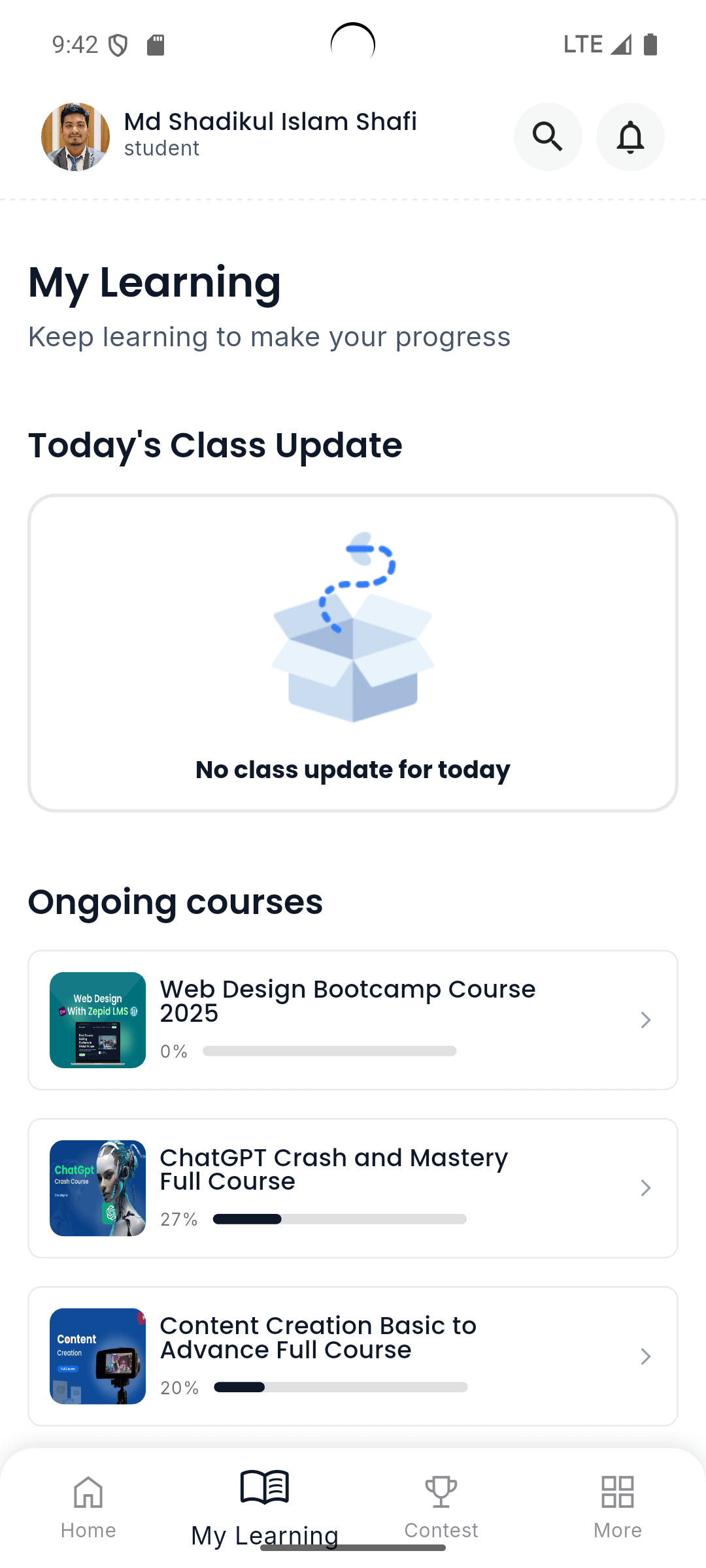
My Learning
The “My Learning” section displays all enrolled courses, progress tracking, and certificates
earned.
You can resume any course directly from this page.
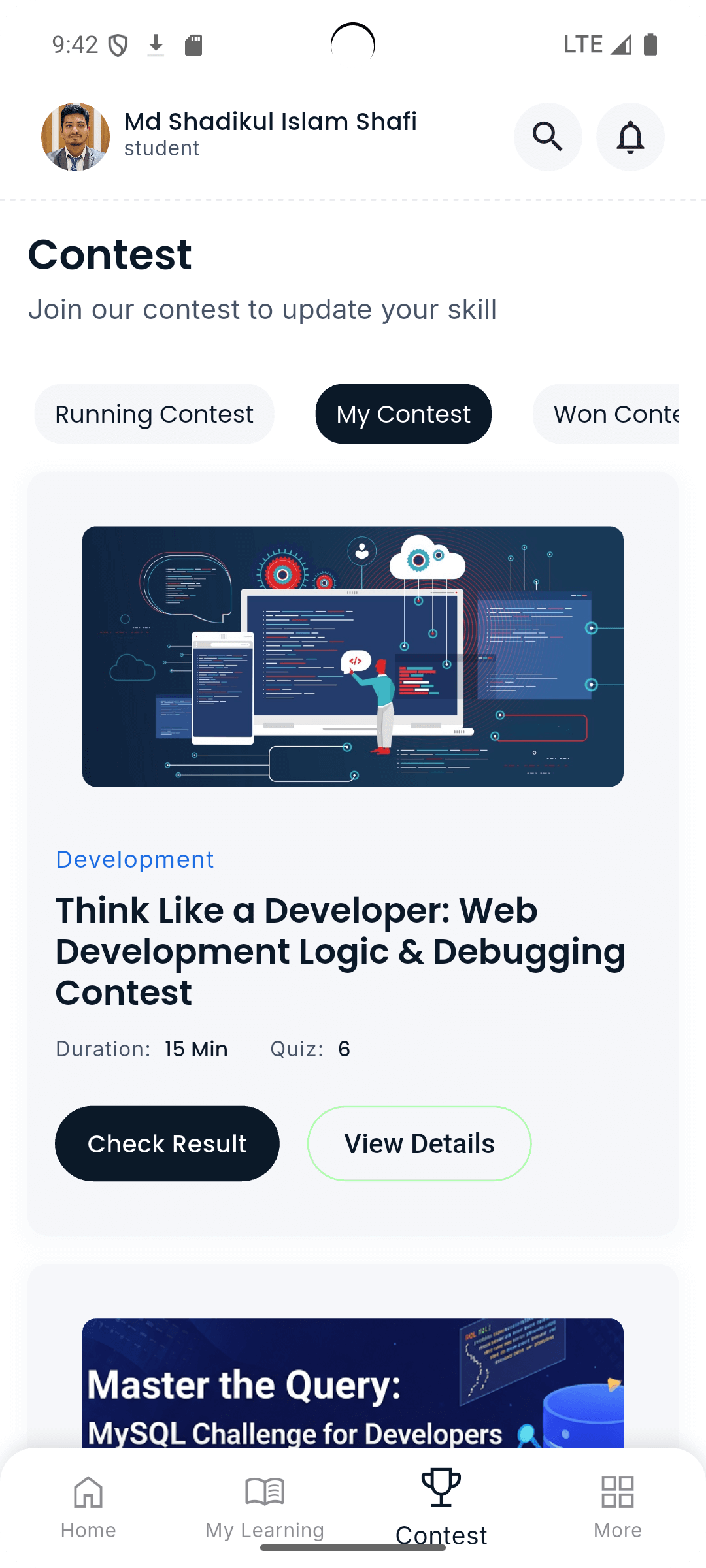
Contest
Participate in live or scheduled contests from within the app. Each contest displays rules,
duration,
ranking, and live leaderboards.
Blog
Access educational and motivational blogs from instructors and experts.
Blogs are categorized and can be bookmarked for later reading.
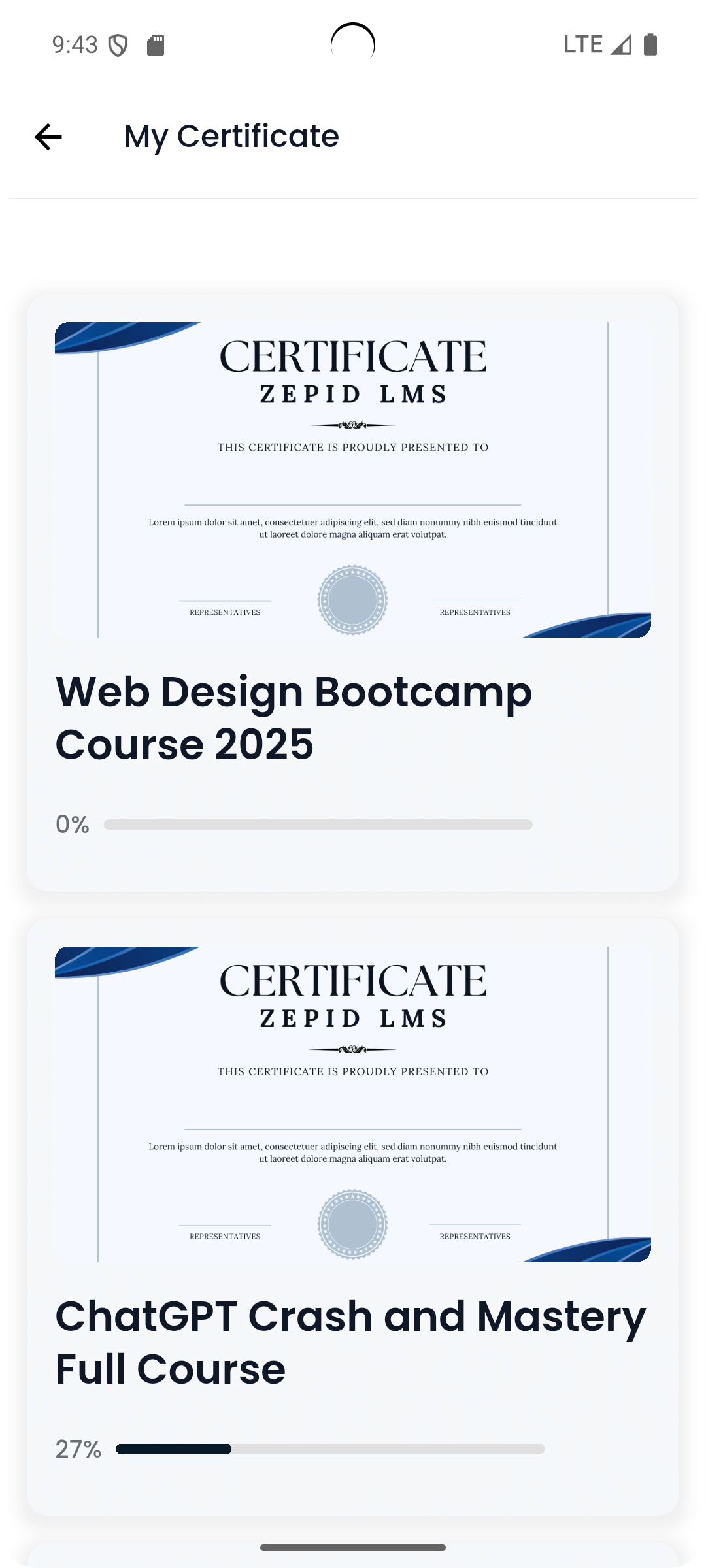
My Certificates
View and download course completion certificates directly from the app.
Each certificate displays your name, course title, and instructor signature.
Reward Points
Earn reward points by completing lessons, quizzes, and daily streaks.
Points can be used for discounts or unlocking exclusive learning content.
Forum
The forum is a community space for asking questions, sharing insights, and connecting with
instructors and peers.
Users can reply, like, and follow discussion threads.
Features Overview
Student Features
Enroll in courses and access multimedia lessons
Submit assignments, take quizzes and exams
Track learning progress and achievements
Receive course certificates
Instructor Features
Create and manage courses with lessons and quizzes
Evaluate student submissions and track performance
Send announcements and manage communication
Admin & Super Admin Features
User & role management
Course approval & content control
Payment, reports, analytics & settings
Executive & Developer Features
Executives handle operational duties; developers manage system configurations.